Main projectDocument Management5 monthsNov 2025
Enterprise DMS
A web and mobile Document Management System that digitizes official correspondence (incoming letters, disposition chains, outgoing letters with review, approval, and digital signatures) for ~1,000 employees across around 20 roles at a state-owned construction company.
- Related to
- Nodewave
- Client
- Confidential. Screens use dummy data.
- Key skills
- Product Management
- Scrum Methodology
- Stakeholder Management
- Product Requirements Document
Business Analysis- Requirement Elicitation
- Business Rules Modeling
User Experience Design- Information Architecture
Testing- User Acceptance Testing
Technical- API Integration
- Tools
 ClickUp
 Figma
How much time do you have?
TL;DR ⚡
I joined as PM two weeks after kickoff and led a 10-sprint build of a web and mobile document management system for a state-owned construction company, replacing a DMS they had used for years. Most of my work was turning their correspondence rules (who reviews, who can see what, how letters are numbered) into requirements engineers could build and admins could configure. The product was in UAT when I left.
Team & My Role 👥
- Product Manager
- Brendan Alexander Soendjojo (joined 2 weeks after kickoff)
- Product Manager (Kickoff & Initial Discovery)
- Sugma Ayunia Dewi Azhara
- Tech Lead
- Rafizhafran Halim
- UI/UX Designer
- Irfan Maulana Sinatrya
- Frontend Engineers
- Andre Wijaya Kok Cyen, Muhammad Timur, Rama Dhaniansyah
- Backend Engineers
- Ahmad Chairiansyah, Muh Syahabuddin Hylmi
- Mobile Engineer
- Dony Ahmad Hisyam
- Data Engineers
- Achmad Nurs Syururi Arifin, Dhafa Alifandra
- Data Preparation Specialist
- Wildan Abdurrasyid
- Quality Assurance
- Refiqa Khoirunnisa
What I owned: completing requirement gathering after Sugma’s handover, translating business rules into user stories and acceptance criteria, sprint planning in ClickUp, API implementation together with the backend engineers (including the Digisign integration), client walkthroughs, and UAT testing.
What I didn’t own: the kickoff and initial discovery (led by Sugma), and visual design.
The Situation 🏢
The client manages thousands of official documents a year across directorates, work units, and construction projects. They had used their existing DMS for years, but it wasn’t serving them well: search was difficult, nothing notified you when a letter needed your action, and management couldn’t see where a document was stuck.
I sat down with the Corporate Secretary staff who register incoming letters (Pendok) to see how they work. Registering a letter was quick. The slow part came after: directors often took a long time to read and respond, and nothing reminded them a letter was waiting.
| Before | After |
|---|---|
| Letters moved through secretaries, printed dispositions, and chat messages | Every letter, disposition, review, and approval lives in one system with a full action log |
| No reminders when a letter was waiting on someone | Notifications to both directors and their Corporate Secretary staff |
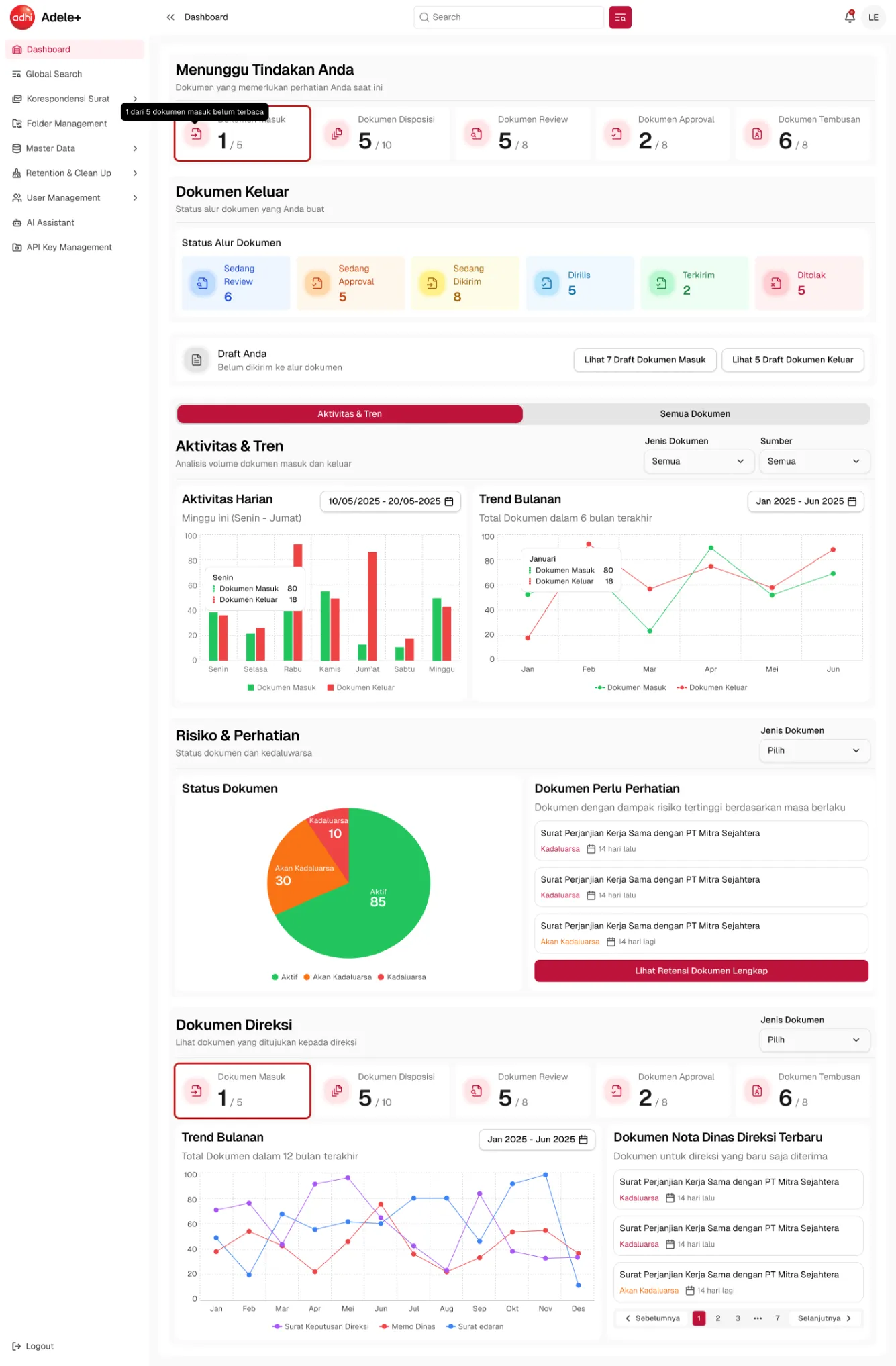
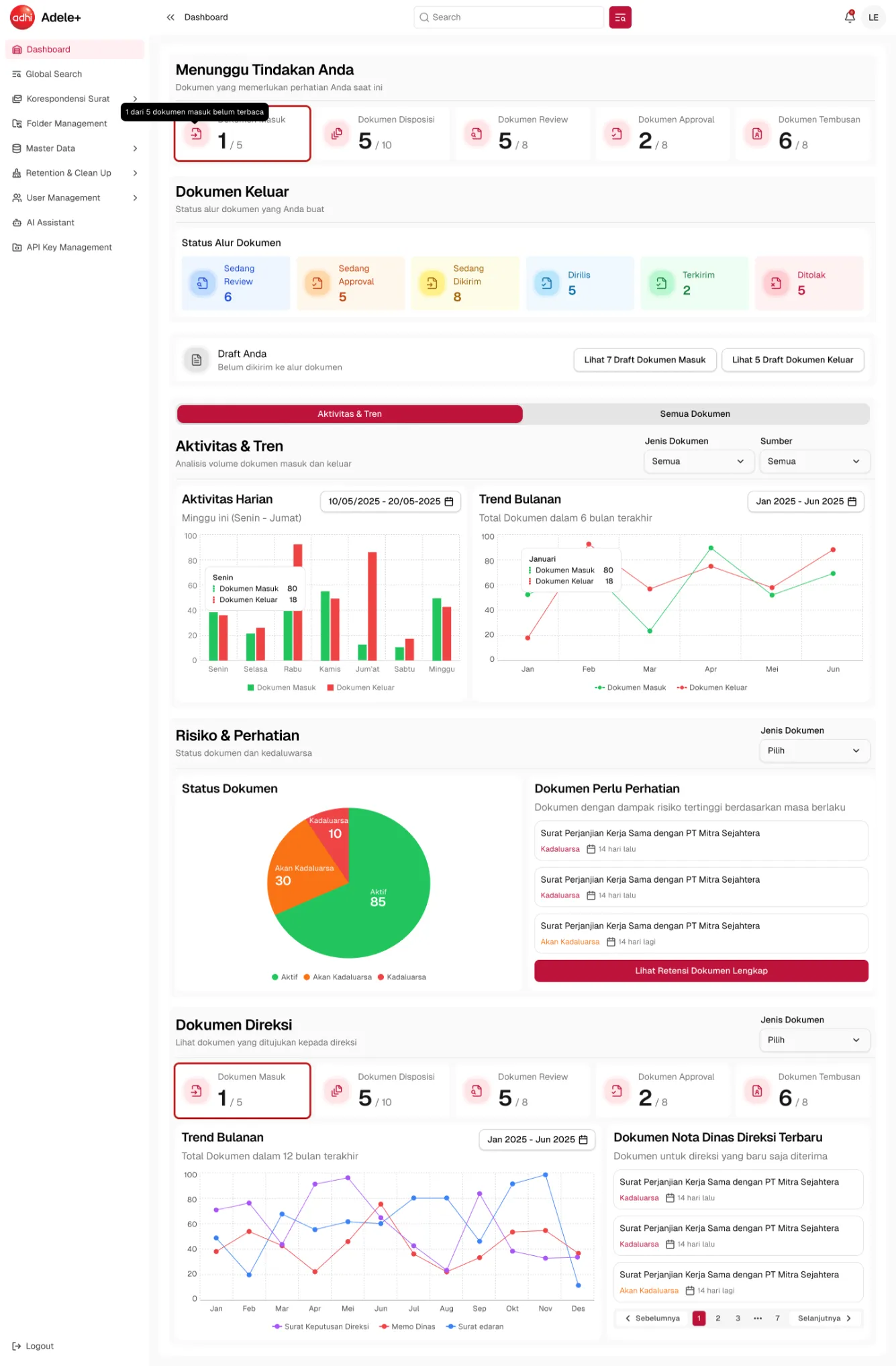
| No visibility into where a document was stuck | Role-based dashboards showing pending actions and letter status |
| Hard to find old documents | Folder archive with access control, global search, and an AI assistant |
Who It Serves 🧑💼
Around 20 roles fall into five tiers:
| User | What they need | What we built for them |
|---|---|---|
| Employees | Act on letters addressed to them and draft outgoing letters | Personal inbox, outgoing letter workflow, and a dashboard of pending actions |
| Board Secretaries (Sekdir) | Register physical letters for their directors | The Pendok menu, which puts each letter straight into the right director’s inbox |
| Unit & Project Admins (Work unit PIC, GM, Project PIC) | Monitor their unit’s or project’s correspondence | A dashboard of all non-confidential documents in their scope |
| Super Users (Corporate Secretary, Board, Internal Audit) | Company-wide oversight | View-only access to all documents |
| Super Admins | Keep the rules up to date | 10 master data modules, retention checker, and recycle bin |
Key Features 🔧
Role-based Dashboard
Incoming Letters & Disposition
Outgoing Letters
Folder Management & Access Control
Key Decisions 🧭
Deep-dive 1: Modeling the letter lifecycle as a state machine
The rule. An outgoing letter has to pass every reviewer and approver before it becomes official. One rejection sends it back to the drafter. Some letters need reviews one-by-one, others in parallel. Backdated letters must be checked by the Corporate Secretary.
What I did. Instead of describing screens, I wrote the lifecycle as explicit states and transitions, so the engineers, QA, and the client could all point at the same diagram:
%3bfill:%23fff5ad%3b%7d%23mermaid-0 .state-note text%7bfill:%23333%3bstroke:none%3bfont-size:10px%3b%7d%23mermaid-0 .stateLabel .box%7bstroke:none%3bstroke-width:0%3bfill:%23f9ead0%3bopacity:0.5%3b%7d%23mermaid-0 .edgeLabel .label rect%7bfill:%23f9ead0%3bopacity:0.5%3b%7d%23mermaid-0 .edgeLabel%7bbackground-color:%23fffdf7%3btext-align:center%3b%7d%23mermaid-0 .edgeLabel p%7bbackground-color:%23fffdf7%3b%7d%23mermaid-0 .edgeLabel rect%7bopacity:0.5%3bbackground-color:%23fffdf7%3bfill:%23fffdf7%3b%7d%23mermaid-0 .edgeLabel .label text%7bfill:%231e1f18%3b%7d%23mermaid-0 .label div .edgeLabel%7bcolor:%231e1f18%3b%7d%23mermaid-0 .stateLabel text%7bfill:%231e1f18%3bfont-size:10px%3bfont-weight:bold%3b%7d%23mermaid-0 .node circle.state-start%7bfill:%234f6343%3bstroke:%234f6343%3b%7d%23mermaid-0 .node .fork-join%7bfill:%234f6343%3bstroke:%234f6343%3b%7d%23mermaid-0 .node circle.state-end%7bfill:%23e9a83a%3bstroke:%23f4f4f4%3bstroke-width:1.5%3b%7d%23mermaid-0 .end-state-inner%7bfill:%23f4f4f4%3bstroke-width:1.5%3b%7d%23mermaid-0 .node rect%7bfill:%23f9ead0%3bstroke:%23e9a83a%3bstroke-width:1px%3b%7d%23mermaid-0 .node polygon%7bfill:%23f9ead0%3bstroke:%23e9a83a%3bstroke-width:1px%3b%7d%23mermaid-0 %5bid%24='-barbEnd'%5d%7bfill:%234f6343%3b%7d%23mermaid-0 .statediagram-cluster rect%7bfill:%23f9ead0%3bstroke:%23e9a83a%3bstroke-width:1px%3b%7d%23mermaid-0 .cluster-label%2c%23mermaid-0 .nodeLabel%7bcolor:%231e1f18%3b%7d%23mermaid-0 .statediagram-cluster rect.outer%7brx:5px%3bry:5px%3b%7d%23mermaid-0 .statediagram-state .divider%7bstroke:%23e9a83a%3b%7d%23mermaid-0 .statediagram-state .title-state%7brx:5px%3bry:5px%3b%7d%23mermaid-0 .statediagram-cluster.statediagram-cluster .inner%7bfill:%23f4f4f4%3b%7d%23mermaid-0 .statediagram-cluster.statediagram-cluster-alt .inner%7bfill:%23fffdf7%3b%7d%23mermaid-0 .statediagram-cluster .inner%7brx:0%3bry:0%3b%7d%23mermaid-0 .statediagram-state rect.basic%7brx:5px%3bry:5px%3b%7d%23mermaid-0 .statediagram-state rect.divider%7bstroke-dasharray:10%2c10%3bfill:%23fffdf7%3b%7d%23mermaid-0 .note-edge%7bstroke-dasharray:5%3b%7d%23mermaid-0 .statediagram-note rect%7bfill:%23fff5ad%3bstroke:hsl(52.6829268293%2c 60%25%2c 73.9215686275%25)%3bstroke-width:1px%3brx:0%3bry:0%3b%7d%23mermaid-0 .statediagram-note rect%7bfill:%23fff5ad%3bstroke:hsl(52.6829268293%2c 60%25%2c 73.9215686275%25)%3bstroke-width:1px%3brx:0%3bry:0%3b%7d%23mermaid-0 .statediagram-note text%7bfill:%23333%3b%7d%23mermaid-0 .statediagram-note .nodeLabel%7bcolor:%23333%3b%7d%23mermaid-0 .statediagram .edgeLabel%7bcolor:red%3b%7d%23mermaid-0 %5bid%24='-dependencyStart'%5d%2c%23mermaid-0 %5bid%24='-dependencyEnd'%5d%7bfill:%234f6343%3bstroke:%234f6343%3bstroke-width:1%3b%7d%23mermaid-0 .statediagramTitleText%7btext-anchor:middle%3bfont-size:18px%3bfill:%231e1f18%3b%7d%23mermaid-0 %5bdata-look='neo'%5d.statediagram-cluster rect%7bfill:%23f9ead0%3bstroke:url(%23mermaid-0-gradient)%3bstroke-width:1%3b%7d%23mermaid-0 %5bdata-look='neo'%5d.statediagram-cluster rect.outer%7brx:5px%3bry:5px%3bfilter:drop-shadow( 1px 2px 2px rgba(185%2c185%2c185%2c1))%3b%7d%23mermaid-0 .node .neo-node%7bstroke:%23e9a83a%3b%7d%23mermaid-0 %5bdata-look='neo'%5d.node rect%2c%23mermaid-0 %5bdata-look='neo'%5d.cluster rect%2c%23mermaid-0 %5bdata-look='neo'%5d.node polygon%7bstroke:url(%23mermaid-0-gradient)%3bfilter:drop-shadow( 1px 2px 2px rgba(185%2c185%2c185%2c1))%3b%7d%23mermaid-0 %5bdata-look='neo'%5d.swimlane.cluster rect%7bfilter:none%3b%7d%23mermaid-0 %5bdata-look='neo'%5d.node path%7bstroke:url(%23mermaid-0-gradient)%3bstroke-width:1px%3b%7d%23mermaid-0 %5bdata-look='neo'%5d.node .outer-path%7bfilter:drop-shadow( 1px 2px 2px rgba(185%2c185%2c185%2c1))%3b%7d%23mermaid-0 %5bdata-look='neo'%5d.node .neo-line path%7bstroke:%23e9a83a%3bfilter:none%3b%7d%23mermaid-0 %5bdata-look='neo'%5d.node circle%7bstroke:url(%23mermaid-0-gradient)%3bfilter:drop-shadow( 1px 2px 2px rgba(185%2c185%2c185%2c1))%3b%7d%23mermaid-0 %5bdata-look='neo'%5d.node circle .state-start%7bfill:black%3b%7d%23mermaid-0 %5bdata-look='neo'%5d.icon-shape .icon%7bfill:url(%23mermaid-0-gradient)%3bfilter:drop-shadow( 1px 2px 2px rgba(185%2c185%2c185%2c1))%3b%7d%23mermaid-0 %5bdata-look='neo'%5d.icon-shape .icon-neo path%7bstroke:url(%23mermaid-0-gradient)%3bfilter:drop-shadow( 1px 2px 2px rgba(185%2c185%2c185%2c1))%3b%7d%23mermaid-0 :root%7b--mermaid-font-family:Arial%2cHelvetica%2csans-serif%3b%7d%3c/style%3e%3cg%3e%3cdefs%3e%3cmarker id='mermaid-0_stateDiagram-barbEnd' refX='19' refY='7' markerWidth='20' markerHeight='14' markerUnits='userSpaceOnUse' orient='auto'%3e%3cpath d='M 19%2c7 L9%2c13 L14%2c7 L9%2c1 Z'/%3e%3c/marker%3e%3c/defs%3e%3cg class='root'%3e%3cg class='clusters'/%3e%3cg class='edgePaths'%3e%3cpath d='M22%2c149.75L26.167%2c149.75C30.333%2c149.75%2c38.667%2c149.75%2c47%2c149.75C55.333%2c149.75%2c63.667%2c149.75%2c67.833%2c149.75L72%2c149.75' id='mermaid-0-edge0' class='edge-thickness-normal edge-pattern-solid transition' style='fill:none%3b%3b%3bfill:none' data-edge='true' data-et='edge' data-id='edge0' data-points='W3sieCI6MjIsInkiOjE0OS43NX0seyJ4Ijo0NywieSI6MTQ5Ljc1fSx7IngiOjcyLCJ5IjoxNDkuNzV9XQ==' data-look='classic' marker-end='url(%23mermaid-0_stateDiagram-barbEnd)'/%3e%3cpath d='M120.516%2c149.75L128.573%2c149.75C136.63%2c149.75%2c152.745%2c149.75%2c168.859%2c149.75C184.974%2c149.75%2c201.089%2c149.75%2c209.146%2c149.75L217.203%2c149.75' id='mermaid-0-edge1' class='edge-thickness-normal edge-pattern-solid transition' style='fill:none%3b%3b%3bfill:none' data-edge='true' data-et='edge' data-id='edge1' data-points='W3sieCI6MTIwLjUxNTYyNSwieSI6MTQ5Ljc1fSx7IngiOjE2OC44NTkzNzUsInkiOjE0OS43NX0seyJ4IjoyMTcuMjAzMTI1LCJ5IjoxNDkuNzV9XQ==' data-look='classic' marker-end='url(%23mermaid-0_stateDiagram-barbEnd)'/%3e%3cpath d='M294.906%2c131.12L311.023%2c123.392C327.141%2c115.663%2c359.375%2c100.207%2c400.966%2c92.478C442.557%2c84.75%2c493.505%2c84.75%2c518.979%2c84.75L544.453%2c84.75' id='mermaid-0-edge2' class='edge-thickness-normal edge-pattern-solid transition' style='fill:none%3b%3b%3bfill:none' data-edge='true' data-et='edge' data-id='edge2' data-points='W3sieCI6Mjk0LjkwNjI1LCJ5IjoxMzEuMTIwMjM4MDI2NjI2N30seyJ4IjozOTEuNjA5Mzc1LCJ5Ijo4NC43NX0seyJ4Ijo1NDQuNDUzMTI1LCJ5Ijo4NC43NX1d' data-look='classic' marker-end='url(%23mermaid-0_stateDiagram-barbEnd)'/%3e%3cpath d='M276.05%2c130.5L295.31%2c111.958C314.57%2c93.417%2c353.09%2c56.333%2c405.133%2c37.792C457.177%2c19.25%2c522.745%2c19.25%2c588.522%2c19.25C654.299%2c19.25%2c720.286%2c19.25%2c780.007%2c28.093C839.727%2c36.936%2c893.18%2c54.622%2c919.906%2c63.466L946.633%2c72.309' id='mermaid-0-edge3' class='edge-thickness-normal edge-pattern-solid transition' style='fill:none%3b%3b%3bfill:none' data-edge='true' data-et='edge' data-id='edge3' data-points='W3sieCI6Mjc2LjA1MDMwMjMyMjc5Njk0LCJ5IjoxMzAuNX0seyJ4IjozOTEuNjA5Mzc1LCJ5IjoxOS4yNX0seyJ4Ijo1ODguMzEyNSwieSI6MTkuMjV9LHsieCI6Nzg2LjI3MzQzNzUsInkiOjE5LjI1fSx7IngiOjk0Ni42MzI4MTI1LCJ5Ijo3Mi4zMDg2NDQ3NzY4MjYyNH1d' data-look='classic' marker-end='url(%23mermaid-0_stateDiagram-barbEnd)'/%3e%3cpath d='M623.597%2c104L650.71%2c118.792C677.823%2c133.583%2c732.048%2c163.167%2c785.538%2c180.207C839.029%2c197.247%2c891.784%2c201.744%2c918.161%2c203.993L944.539%2c206.241' id='mermaid-0-edge4' class='edge-thickness-normal edge-pattern-solid transition' style='fill:none%3b%3b%3bfill:none' data-edge='true' data-et='edge' data-id='edge4' data-points='W3sieCI6NjIzLjU5NzIwNDEzNzczMTUsInkiOjEwNH0seyJ4Ijo3ODYuMjczNDM3NSwieSI6MTkyLjc1fSx7IngiOjk0NC41MzkwNjI1LCJ5IjoyMDYuMjQxMjA5MjAzMjA0NTN9XQ==' data-look='classic' marker-end='url(%23mermaid-0_stateDiagram-barbEnd)'/%3e%3cpath d='M632.172%2c84.75L657.855%2c84.75C683.539%2c84.75%2c734.906%2c84.75%2c787.316%2c84.75C839.727%2c84.75%2c893.18%2c84.75%2c919.906%2c84.75L946.633%2c84.75' id='mermaid-0-edge5' class='edge-thickness-normal edge-pattern-solid transition' style='fill:none%3b%3b%3bfill:none' data-edge='true' data-et='edge' data-id='edge5' data-points='W3sieCI6NjMyLjE3MTg3NSwieSI6ODQuNzV9LHsieCI6Nzg2LjI3MzQzNzUsInkiOjg0Ljc1fSx7IngiOjk0Ni42MzI4MTI1LCJ5Ijo4NC43NX1d' data-look='classic' marker-end='url(%23mermaid-0_stateDiagram-barbEnd)'/%3e%3cpath d='M946.633%2c99.328L919.906%2c109.69C893.18%2c120.052%2c839.727%2c140.776%2c780.007%2c151.138C720.286%2c161.5%2c654.299%2c161.5%2c588.522%2c161.5C522.745%2c161.5%2c457.177%2c161.5%2c408.276%2c160.103C359.375%2c158.706%2c327.141%2c155.912%2c311.023%2c154.515L294.906%2c153.118' id='mermaid-0-edge6' class='edge-thickness-normal edge-pattern-solid transition' style='fill:none%3b%3b%3bfill:none' data-edge='true' data-et='edge' data-id='edge6' data-points='W3sieCI6OTQ2LjYzMjgxMjUsInkiOjk5LjMyODIyOTIxMTg4NjgyfSx7IngiOjc4Ni4yNzM0Mzc1LCJ5IjoxNjEuNX0seyJ4Ijo1ODguMzEyNSwieSI6MTYxLjV9LHsieCI6MzkxLjYwOTM3NSwieSI6MTYxLjV9LHsieCI6Mjk0LjkwNjI1LCJ5IjoxNTMuMTE3Njg3NzQxMzQwNTV9XQ==' data-look='classic' marker-end='url(%23mermaid-0_stateDiagram-barbEnd)'/%3e%3cpath d='M1023.93%2c202.268L1046.764%2c198.036C1069.599%2c193.804%2c1115.268%2c185.339%2c1159.156%2c181.107C1203.044%2c176.875%2c1245.151%2c176.875%2c1293.164%2c176.875C1341.177%2c176.875%2c1395.096%2c176.875%2c1440.746%2c185.905C1486.396%2c194.935%2c1523.776%2c212.995%2c1542.466%2c222.025L1561.156%2c231.055' id='mermaid-0-edge7' class='edge-thickness-normal edge-pattern-solid transition' style='fill:none%3b%3b%3bfill:none' data-edge='true' data-et='edge' data-id='edge7' data-points='W3sieCI6MTAyMy45Mjk2ODc1LCJ5IjoyMDIuMjY3OTA2MDkyNDkyN30seyJ4IjoxMTYwLjkzNzUsInkiOjE3Ni44NzV9LHsieCI6MTI4Ny4yNTc4MTI1LCJ5IjoxNzYuODc1fSx7IngiOjE0NDkuMDE1NjI1LCJ5IjoxNzYuODc1fSx7IngiOjE1NjEuMTU2MjUsInkiOjIzMS4wNTUwODQxMzUzMDgwMn1d' data-look='classic' marker-end='url(%23mermaid-0_stateDiagram-barbEnd)'/%3e%3cpath d='M1023.93%2c216.982L1046.764%2c221.214C1069.599%2c225.446%2c1115.268%2c233.911%2c1153.234%2c238.143C1191.201%2c242.375%2c1221.464%2c242.375%2c1236.595%2c242.375L1251.727%2c242.375' id='mermaid-0-edge8' class='edge-thickness-normal edge-pattern-solid transition' style='fill:none%3b%3b%3bfill:none' data-edge='true' data-et='edge' data-id='edge8' data-points='W3sieCI6MTAyMy45Mjk2ODc1LCJ5IjoyMTYuOTgyMDkzOTA3NTA3M30seyJ4IjoxMTYwLjkzNzUsInkiOjI0Mi4zNzV9LHsieCI6MTI1MS43MjY1NjI1LCJ5IjoyNDIuMzc1fV0=' data-look='classic' marker-end='url(%23mermaid-0_stateDiagram-barbEnd)'/%3e%3cpath d='M1322.789%2c242.375L1343.827%2c242.375C1364.865%2c242.375%2c1406.94%2c242.375%2c1446.668%2c242.375C1486.396%2c242.375%2c1523.776%2c242.375%2c1542.466%2c242.375L1561.156%2c242.375' id='mermaid-0-edge9' class='edge-thickness-normal edge-pattern-solid transition' style='fill:none%3b%3b%3bfill:none' data-edge='true' data-et='edge' data-id='edge9' data-points='W3sieCI6MTMyMi43ODkwNjI1LCJ5IjoyNDIuMzc1fSx7IngiOjE0NDkuMDE1NjI1LCJ5IjoyNDIuMzc1fSx7IngiOjE1NjEuMTU2MjUsInkiOjI0Mi4zNzV9XQ==' data-look='classic' marker-end='url(%23mermaid-0_stateDiagram-barbEnd)'/%3e%3cpath d='M1608.016%2c242.375L1623.159%2c242.375C1638.302%2c242.375%2c1668.589%2c242.375%2c1698.875%2c242.375C1729.161%2c242.375%2c1759.448%2c242.375%2c1774.591%2c242.375L1789.734%2c242.375' id='mermaid-0-edge10' class='edge-thickness-normal edge-pattern-solid transition' style='fill:none%3b%3b%3bfill:none' data-edge='true' data-et='edge' data-id='edge10' data-points='W3sieCI6MTYwOC4wMTU2MjUsInkiOjI0Mi4zNzV9LHsieCI6MTY5OC44NzUsInkiOjI0Mi4zNzV9LHsieCI6MTc4OS43MzQzNzUsInkiOjI0Mi4zNzV9XQ==' data-look='classic' marker-end='url(%23mermaid-0_stateDiagram-barbEnd)'/%3e%3cpath d='M944.539%2c217.37L918.161%2c222.517C891.784%2c227.663%2c839.029%2c237.957%2c779.658%2c243.103C720.286%2c248.25%2c654.299%2c248.25%2c588.522%2c248.25C522.745%2c248.25%2c457.177%2c248.25%2c406.216%2c235.042C355.255%2c221.833%2c318.901%2c195.417%2c300.724%2c182.208L282.546%2c169' id='mermaid-0-edge11' class='edge-thickness-normal edge-pattern-solid transition' style='fill:none%3b%3b%3bfill:none' data-edge='true' data-et='edge' data-id='edge11' data-points='W3sieCI6OTQ0LjUzOTA2MjUsInkiOjIxNy4zNzAxMjExNTcxMDk2fSx7IngiOjc4Ni4yNzM0Mzc1LCJ5IjoyNDguMjV9LHsieCI6NTg4LjMxMjUsInkiOjI0OC4yNX0seyJ4IjozOTEuNjA5Mzc1LCJ5IjoyNDguMjV9LHsieCI6MjgyLjU0NjMzOTYyNTYzNDUsInkiOjE2OX1d' data-look='classic' marker-end='url(%23mermaid-0_stateDiagram-barbEnd)'/%3e%3cpath d='M1561.156%2c253.695L1542.466%2c262.725C1523.776%2c271.755%2c1486.396%2c289.815%2c1440.746%2c298.845C1395.096%2c307.875%2c1341.177%2c307.875%2c1293.164%2c307.875C1245.151%2c307.875%2c1203.044%2c307.875%2c1152.54%2c307.875C1102.036%2c307.875%2c1043.135%2c307.875%2c980.691%2c307.875C918.247%2c307.875%2c852.26%2c307.875%2c786.273%2c307.875C720.286%2c307.875%2c654.299%2c307.875%2c588.522%2c307.875C522.745%2c307.875%2c457.177%2c307.875%2c404.551%2c284.729C351.925%2c261.583%2c312.241%2c215.292%2c292.399%2c192.146L272.557%2c169' id='mermaid-0-edge12' class='edge-thickness-normal edge-pattern-solid transition' style='fill:none%3b%3b%3bfill:none' data-edge='true' data-et='edge' data-id='edge12' data-points='W3sieCI6MTU2MS4xNTYyNSwieSI6MjUzLjY5NDkxNTg2NDY5MTk4fSx7IngiOjE0NDkuMDE1NjI1LCJ5IjozMDcuODc1fSx7IngiOjEyODcuMjU3ODEyNSwieSI6MzA3Ljg3NX0seyJ4IjoxMTYwLjkzNzUsInkiOjMwNy44NzV9LHsieCI6OTg0LjIzNDM3NSwieSI6MzA3Ljg3NX0seyJ4Ijo3ODYuMjczNDM3NSwieSI6MzA3Ljg3NX0seyJ4Ijo1ODguMzEyNSwieSI6MzA3Ljg3NX0seyJ4IjozOTEuNjA5Mzc1LCJ5IjozMDcuODc1fSx7IngiOjI3Mi41NTY5OTcyODI2MDg3LCJ5IjoxNjl9XQ==' data-look='classic' marker-end='url(%23mermaid-0_stateDiagram-barbEnd)'/%3e%3c/g%3e%3cg class='edgeLabels'%3e%3cg class='edgeLabel'%3e%3cg class='label' data-id='edge0' transform='translate(0%2c 0)'%3e%3cforeignObject width='0' height='0'%3e%3cdiv xmlns='http://www.w3.org/1999/xhtml' class='labelBkg' style='display: table-cell%3b white-space: nowrap%3b line-height: 1.5%3b max-width: 200px%3b text-align: center%3b'%3e%3cspan class='edgeLabel'%3e%3c/span%3e%3c/div%3e%3c/foreignObject%3e%3c/g%3e%3c/g%3e%3cg class='edgeLabel' transform='translate(168.859375%2c 149.75)'%3e%3cg class='label' data-id='edge1' transform='translate(-23.34375%2c -11.25)'%3e%3cforeignObject width='46.6875' height='22.5'%3e%3cdiv xmlns='http://www.w3.org/1999/xhtml' class='labelBkg' style='display: table-cell%3b white-space: nowrap%3b line-height: 1.5%3b max-width: 200px%3b text-align: center%3b'%3e%3cspan class='edgeLabel'%3e%3cp%3eSubmit%3c/p%3e%3c/span%3e%3c/div%3e%3c/foreignObject%3e%3c/g%3e%3c/g%3e%3cg class='edgeLabel' transform='translate(391.609375%2c 84.75)'%3e%3cg class='label' data-id='edge2' transform='translate(-71.703125%2c -11.25)'%3e%3cforeignObject width='143.40625' height='22.5'%3e%3cdiv xmlns='http://www.w3.org/1999/xhtml' class='labelBkg' style='display: table-cell%3b white-space: nowrap%3b line-height: 1.5%3b max-width: 200px%3b text-align: center%3b'%3e%3cspan class='edgeLabel'%3e%3cp%3eAll reviewers approve%3c/p%3e%3c/span%3e%3c/div%3e%3c/foreignObject%3e%3c/g%3e%3c/g%3e%3cg class='edgeLabel' transform='translate(588.3125%2c 19.25)'%3e%3cg class='label' data-id='edge3' transform='translate(-67.5234375%2c -11.25)'%3e%3cforeignObject width='135.046875' height='22.5'%3e%3cdiv xmlns='http://www.w3.org/1999/xhtml' class='labelBkg' style='display: table-cell%3b white-space: nowrap%3b line-height: 1.5%3b max-width: 200px%3b text-align: center%3b'%3e%3cspan class='edgeLabel'%3e%3cp%3eAny reviewer rejects%3c/p%3e%3c/span%3e%3c/div%3e%3c/foreignObject%3e%3c/g%3e%3c/g%3e%3cg class='edgeLabel' transform='translate(786.2734375%2c 192.75)'%3e%3cg class='label' data-id='edge4' transform='translate(-72.9609375%2c -11.25)'%3e%3cforeignObject width='145.921875' height='22.5'%3e%3cdiv xmlns='http://www.w3.org/1999/xhtml' class='labelBkg' style='display: table-cell%3b white-space: nowrap%3b line-height: 1.5%3b max-width: 200px%3b text-align: center%3b'%3e%3cspan class='edgeLabel'%3e%3cp%3eAll approvers approve%3c/p%3e%3c/span%3e%3c/div%3e%3c/foreignObject%3e%3c/g%3e%3c/g%3e%3cg class='edgeLabel' transform='translate(786.2734375%2c 84.75)'%3e%3cg class='label' data-id='edge5' transform='translate(-68.7890625%2c -11.25)'%3e%3cforeignObject width='137.578125' height='22.5'%3e%3cdiv xmlns='http://www.w3.org/1999/xhtml' class='labelBkg' style='display: table-cell%3b white-space: nowrap%3b line-height: 1.5%3b max-width: 200px%3b text-align: center%3b'%3e%3cspan class='edgeLabel'%3e%3cp%3eAny approver rejects%3c/p%3e%3c/span%3e%3c/div%3e%3c/foreignObject%3e%3c/g%3e%3c/g%3e%3cg class='edgeLabel' transform='translate(588.3125%2c 161.5)'%3e%3cg class='label' data-id='edge6' transform='translate(-100%2c -22.5)'%3e%3cforeignObject width='200' height='45'%3e%3cdiv xmlns='http://www.w3.org/1999/xhtml' class='labelBkg' style='display: table%3b white-space: break-spaces%3b line-height: 1.5%3b max-width: 200px%3b text-align: center%3b width: 200px%3b'%3e%3cspan class='edgeLabel'%3e%3cp%3eDrafter uploads revision (workflow resets)%3c/p%3e%3c/span%3e%3c/div%3e%3c/foreignObject%3e%3c/g%3e%3c/g%3e%3cg class='edgeLabel' transform='translate(1287.2578125%2c 176.875)'%3e%3cg class='label' data-id='edge7' transform='translate(-49.6171875%2c -11.25)'%3e%3cforeignObject width='99.234375' height='22.5'%3e%3cdiv xmlns='http://www.w3.org/1999/xhtml' class='labelBkg' style='display: table-cell%3b white-space: nowrap%3b line-height: 1.5%3b max-width: 200px%3b text-align: center%3b'%3e%3cspan class='edgeLabel'%3e%3cp%3eSend internally%3c/p%3e%3c/span%3e%3c/div%3e%3c/foreignObject%3e%3c/g%3e%3c/g%3e%3cg class='edgeLabel' transform='translate(1160.9375%2c 242.375)'%3e%3cg class='label' data-id='edge8' transform='translate(-51.703125%2c -11.25)'%3e%3cforeignObject width='103.40625' height='22.5'%3e%3cdiv xmlns='http://www.w3.org/1999/xhtml' class='labelBkg' style='display: table-cell%3b white-space: nowrap%3b line-height: 1.5%3b max-width: 200px%3b text-align: center%3b'%3e%3cspan class='edgeLabel'%3e%3cp%3eSend externally%3c/p%3e%3c/span%3e%3c/div%3e%3c/foreignObject%3e%3c/g%3e%3c/g%3e%3cg class='edgeLabel' transform='translate(1449.015625%2c 242.375)'%3e%3cg class='label' data-id='edge9' transform='translate(-87.140625%2c -11.25)'%3e%3cforeignObject width='174.28125' height='22.5'%3e%3cdiv xmlns='http://www.w3.org/1999/xhtml' class='labelBkg' style='display: table-cell%3b white-space: nowrap%3b line-height: 1.5%3b max-width: 200px%3b text-align: center%3b'%3e%3cspan class='edgeLabel'%3e%3cp%3eProof of delivery uploaded%3c/p%3e%3c/span%3e%3c/div%3e%3c/foreignObject%3e%3c/g%3e%3c/g%3e%3cg class='edgeLabel' transform='translate(1698.875%2c 242.375)'%3e%3cg class='label' data-id='edge10' transform='translate(-65.859375%2c -11.25)'%3e%3cforeignObject width='131.71875' height='22.5'%3e%3cdiv xmlns='http://www.w3.org/1999/xhtml' class='labelBkg' style='display: table-cell%3b white-space: nowrap%3b line-height: 1.5%3b max-width: 200px%3b text-align: center%3b'%3e%3cspan class='edgeLabel'%3e%3cp%3eApprover withdraws%3c/p%3e%3c/span%3e%3c/div%3e%3c/foreignObject%3e%3c/g%3e%3c/g%3e%3cg class='edgeLabel' transform='translate(588.3125%2c 248.25)'%3e%3cg class='label' data-id='edge11' transform='translate(-100%2c -22.5)'%3e%3cforeignObject width='200' height='45'%3e%3cdiv xmlns='http://www.w3.org/1999/xhtml' class='labelBkg' style='display: table%3b white-space: break-spaces%3b line-height: 1.5%3b max-width: 200px%3b text-align: center%3b width: 200px%3b'%3e%3cspan class='edgeLabel'%3e%3cp%3eUpdate version (v%2b1%2c same number)%3c/p%3e%3c/span%3e%3c/div%3e%3c/foreignObject%3e%3c/g%3e%3c/g%3e%3cg class='edgeLabel' transform='translate(984.234375%2c 307.875)'%3e%3cg class='label' data-id='edge12' transform='translate(-100%2c -22.5)'%3e%3cforeignObject width='200' height='45'%3e%3cdiv xmlns='http://www.w3.org/1999/xhtml' class='labelBkg' style='display: table%3b white-space: break-spaces%3b line-height: 1.5%3b max-width: 200px%3b text-align: center%3b width: 200px%3b'%3e%3cspan class='edgeLabel'%3e%3cp%3eUpdate version (v%2b1%2c same number)%3c/p%3e%3c/span%3e%3c/div%3e%3c/foreignObject%3e%3c/g%3e%3c/g%3e%3c/g%3e%3cg class='nodes'%3e%3cg class='node default' id='mermaid-0-state-root_start-0' data-look='classic' transform='translate(15%2c 149.75)'%3e%3ccircle class='state-start' r='7' width='14' height='14'/%3e%3c/g%3e%3cg class='node statediagram-state' id='mermaid-0-state-Draft-1' data-look='classic' transform='translate(96.2578125%2c 149.75)'%3e%3crect class='basic label-container' style='' rx='5' ry='5' x='-24.2578125' y='-19.25' width='48.515625' height='38.5'/%3e%3cg class='label' style='' transform='translate(-16.2578125%2c -11.25)'%3e%3crect/%3e%3cforeignObject width='32.515625' height='22.5'%3e%3cdiv xmlns='http://www.w3.org/1999/xhtml' style='display: table-cell%3b white-space: nowrap%3b line-height: 1.5%3b max-width: 200px%3b text-align: center%3b'%3e%3cspan class='nodeLabel markdown-node-label'%3e%3cp%3eDraft%3c/p%3e%3c/span%3e%3c/div%3e%3c/foreignObject%3e%3c/g%3e%3c/g%3e%3cg class='node statediagram-state' id='mermaid-0-state-InReview-12' data-look='classic' transform='translate(256.0546875%2c 149.75)'%3e%3crect class='basic label-container' style='' rx='5' ry='5' x='-38.8515625' y='-19.25' width='77.703125' height='38.5'/%3e%3cg class='label' style='' transform='translate(-30.8515625%2c -11.25)'%3e%3crect/%3e%3cforeignObject width='61.703125' height='22.5'%3e%3cdiv xmlns='http://www.w3.org/1999/xhtml' style='display: table-cell%3b white-space: nowrap%3b line-height: 1.5%3b max-width: 200px%3b text-align: center%3b'%3e%3cspan class='nodeLabel markdown-node-label'%3e%3cp%3eInReview%3c/p%3e%3c/span%3e%3c/div%3e%3c/foreignObject%3e%3c/g%3e%3c/g%3e%3cg class='node statediagram-state' id='mermaid-0-state-InApproval-5' data-look='classic' transform='translate(588.3125%2c 84.75)'%3e%3crect class='basic label-container' style='' rx='5' ry='5' x='-43.859375' y='-19.25' width='87.71875' height='38.5'/%3e%3cg class='label' style='' transform='translate(-35.859375%2c -11.25)'%3e%3crect/%3e%3cforeignObject width='71.71875' height='22.5'%3e%3cdiv xmlns='http://www.w3.org/1999/xhtml' style='display: table-cell%3b white-space: nowrap%3b line-height: 1.5%3b max-width: 200px%3b text-align: center%3b'%3e%3cspan class='nodeLabel markdown-node-label'%3e%3cp%3eInApproval%3c/p%3e%3c/span%3e%3c/div%3e%3c/foreignObject%3e%3c/g%3e%3c/g%3e%3cg class='node statediagram-state' id='mermaid-0-state-Rejected-6' data-look='classic' transform='translate(984.234375%2c 84.75)'%3e%3crect class='basic label-container' style='' rx='5' ry='5' x='-37.6015625' y='-19.25' width='75.203125' height='38.5'/%3e%3cg class='label' style='' transform='translate(-29.6015625%2c -11.25)'%3e%3crect/%3e%3cforeignObject width='59.203125' height='22.5'%3e%3cdiv xmlns='http://www.w3.org/1999/xhtml' style='display: table-cell%3b white-space: nowrap%3b line-height: 1.5%3b max-width: 200px%3b text-align: center%3b'%3e%3cspan class='nodeLabel markdown-node-label'%3e%3cp%3eRejected%3c/p%3e%3c/span%3e%3c/div%3e%3c/foreignObject%3e%3c/g%3e%3c/g%3e%3cg class='node statediagram-state' id='mermaid-0-state-Released-11' data-look='classic' transform='translate(984.234375%2c 209.625)'%3e%3crect class='basic label-container' style='' rx='5' ry='5' x='-39.6953125' y='-19.25' width='79.390625' height='38.5'/%3e%3cg class='label' style='' transform='translate(-31.6953125%2c -11.25)'%3e%3crect/%3e%3cforeignObject width='63.390625' height='22.5'%3e%3cdiv xmlns='http://www.w3.org/1999/xhtml' style='display: table-cell%3b white-space: nowrap%3b line-height: 1.5%3b max-width: 200px%3b text-align: center%3b'%3e%3cspan class='nodeLabel markdown-node-label'%3e%3cp%3eReleased%3c/p%3e%3c/span%3e%3c/div%3e%3c/foreignObject%3e%3c/g%3e%3c/g%3e%3cg class='node statediagram-state' id='mermaid-0-state-Sent-12' data-look='classic' transform='translate(1584.5859375%2c 242.375)'%3e%3crect class='basic label-container' style='' rx='5' ry='5' x='-23.4296875' y='-19.25' width='46.859375' height='38.5'/%3e%3cg class='label' style='' transform='translate(-15.4296875%2c -11.25)'%3e%3crect/%3e%3cforeignObject width='30.859375' height='22.5'%3e%3cdiv xmlns='http://www.w3.org/1999/xhtml' style='display: table-cell%3b white-space: nowrap%3b line-height: 1.5%3b max-width: 200px%3b text-align: center%3b'%3e%3cspan class='nodeLabel markdown-node-label'%3e%3cp%3eSent%3c/p%3e%3c/span%3e%3c/div%3e%3c/foreignObject%3e%3c/g%3e%3c/g%3e%3cg class='node statediagram-state' id='mermaid-0-state-Sending-9' data-look='classic' transform='translate(1287.2578125%2c 242.375)'%3e%3crect class='basic label-container' style='' rx='5' ry='5' x='-35.53125' y='-19.25' width='71.0625' height='38.5'/%3e%3cg class='label' style='' transform='translate(-27.53125%2c -11.25)'%3e%3crect/%3e%3cforeignObject width='55.0625' height='22.5'%3e%3cdiv xmlns='http://www.w3.org/1999/xhtml' style='display: table-cell%3b white-space: nowrap%3b line-height: 1.5%3b max-width: 200px%3b text-align: center%3b'%3e%3cspan class='nodeLabel markdown-node-label'%3e%3cp%3eSending%3c/p%3e%3c/span%3e%3c/div%3e%3c/foreignObject%3e%3c/g%3e%3c/g%3e%3cg class='node statediagram-state' id='mermaid-0-state-Withdrawn-10' data-look='classic' transform='translate(1833.1640625%2c 242.375)'%3e%3crect class='basic label-container' style='' rx='5' ry='5' x='-43.4296875' y='-19.25' width='86.859375' height='38.5'/%3e%3cg class='label' style='' transform='translate(-35.4296875%2c -11.25)'%3e%3crect/%3e%3cforeignObject width='70.859375' height='22.5'%3e%3cdiv xmlns='http://www.w3.org/1999/xhtml' style='display: table-cell%3b white-space: nowrap%3b line-height: 1.5%3b max-width: 200px%3b text-align: center%3b'%3e%3cspan class='nodeLabel markdown-node-label'%3e%3cp%3eWithdrawn%3c/p%3e%3c/span%3e%3c/div%3e%3c/foreignObject%3e%3c/g%3e%3c/g%3e%3c/g%3e%3c/g%3e%3c/g%3e%3cdefs%3e%3cfilter id='mermaid-0-drop-shadow' height='130%25' width='130%25'%3e%3cfeDropShadow dx='4' dy='4' stdDeviation='0' flood-opacity='0.06' flood-color='black'/%3e%3c/filter%3e%3c/defs%3e%3cdefs%3e%3cfilter id='mermaid-0-drop-shadow-small' height='150%25' width='150%25'%3e%3cfeDropShadow dx='2' dy='2' stdDeviation='0' flood-opacity='0.06' flood-color='black'/%3e%3c/filter%3e%3c/defs%3e%3clinearGradient id='mermaid-0-gradient' gradientUnits='objectBoundingBox' x1='0%25' y1='0%25' x2='100%25' y2='0%25'%3e%3cstop offset='0%25' stop-color='%23e9a83a' stop-opacity='1'/%3e%3cstop offset='100%25' stop-color='hsl(76.6666666667%2c 0%25%2c 77.4509803922%25)' stop-opacity='1'/%3e%3c/linearGradient%3e%3c/svg%3e)
| Rule | Sequential | Parallel |
|---|---|---|
| Who sees the document | One reviewer at a time, in order | All reviewers at once, then all approvers |
| Visibility of others | Only people before you in the chain | Only your own stage until it completes |
| On rejection | Returned to drafter; old workflow kept as read-only history | Every pending reviewer’s and approver’s buttons are disabled |
Edge cases I locked down: the Corporate Secretary is auto-inserted as first reviewer for backdated letters, and mandatory reviewers from master data always come before manually added ones.
Result. “Is it stuck with me or with them?” became answerable from the dashboard, and QA could write test cases straight from the transitions.
Deep-dive 2: A configurable numbering engine instead of hardcoded formats
The rule. Every document type has its own official number format, which depends on whether the letter is corporate-wide or belongs to a work unit or project. Mid-build, the client added a twist: some letter types need one number per approving unit, not one per letter.
What I did. I walked through real letters with the client to break each number into its parts, then turned those parts into building blocks an admin can arrange per document type, with no developer involved:
%3b%7d%23mermaid-1 .cluster rect%7bfill:%23fffdf7%3bstroke:hsl(45%2c 60%25%2c 88.431372549%25)%3bstroke-width:1px%3b%7d%23mermaid-1 .cluster text%7bfill:%23000208%3b%7d%23mermaid-1 .cluster span%7bcolor:%23000208%3b%7d%23mermaid-1 .node .collapsed-indicator%7bfill:hsl(45%2c 60%25%2c 88.431372549%25)%3bstroke:none%3bopacity:0.6%3b%7d%23mermaid-1 .node .collapsed-separator%7bstroke:hsl(45%2c 60%25%2c 88.431372549%25)%3bstroke-width:0.75px%3b%7d%23mermaid-1 div.mermaidTooltip%7bposition:absolute%3btext-align:center%3bmax-width:200px%3bpadding:2px%3bfont-family:Arial%2cHelvetica%2csans-serif%3bfont-size:12px%3bbackground:%23fffdf7%3bborder:1px solid hsl(45%2c 60%25%2c 88.431372549%25)%3bborder-radius:2px%3bpointer-events:none%3bz-index:100%3b%7d%23mermaid-1 .flowchartTitleText%7btext-anchor:middle%3bfont-size:18px%3bfill:%231e1f18%3b%7d%23mermaid-1 rect.text%7bfill:none%3bstroke-width:0%3b%7d%23mermaid-1 .icon-shape%2c%23mermaid-1 .image-shape%7bbackground-color:%23fffdf7%3btext-align:center%3b%7d%23mermaid-1 .icon-shape p%2c%23mermaid-1 .image-shape p%7bbackground-color:%23fffdf7%3bpadding:2px%3b%7d%23mermaid-1 .icon-shape .label rect%2c%23mermaid-1 .image-shape .label rect%7bopacity:0.5%3bbackground-color:%23fffdf7%3bfill:%23fffdf7%3b%7d%23mermaid-1 .label-icon%7bdisplay:inline-block%3bheight:1em%3boverflow:visible%3bvertical-align:-0.125em%3b%7d%23mermaid-1 .node .label-icon path%7bfill:currentColor%3bstroke:revert%3bstroke-width:revert%3b%7d%23mermaid-1 .node .neo-node%7bstroke:%23e9a83a%3b%7d%23mermaid-1 %5bdata-look='neo'%5d.node rect%2c%23mermaid-1 %5bdata-look='neo'%5d.cluster rect%2c%23mermaid-1 %5bdata-look='neo'%5d.node polygon%7bstroke:url(%23mermaid-1-gradient)%3bfilter:drop-shadow( 1px 2px 2px rgba(185%2c185%2c185%2c1))%3b%7d%23mermaid-1 %5bdata-look='neo'%5d.swimlane.cluster rect%7bfilter:none%3b%7d%23mermaid-1 %5bdata-look='neo'%5d.node path%7bstroke:url(%23mermaid-1-gradient)%3bstroke-width:1px%3b%7d%23mermaid-1 %5bdata-look='neo'%5d.node .outer-path%7bfilter:drop-shadow( 1px 2px 2px rgba(185%2c185%2c185%2c1))%3b%7d%23mermaid-1 %5bdata-look='neo'%5d.node .neo-line path%7bstroke:%23e9a83a%3bfilter:none%3b%7d%23mermaid-1 %5bdata-look='neo'%5d.node circle%7bstroke:url(%23mermaid-1-gradient)%3bfilter:drop-shadow( 1px 2px 2px rgba(185%2c185%2c185%2c1))%3b%7d%23mermaid-1 %5bdata-look='neo'%5d.node circle .state-start%7bfill:black%3b%7d%23mermaid-1 %5bdata-look='neo'%5d.icon-shape .icon%7bfill:url(%23mermaid-1-gradient)%3bfilter:drop-shadow( 1px 2px 2px rgba(185%2c185%2c185%2c1))%3b%7d%23mermaid-1 %5bdata-look='neo'%5d.icon-shape .icon-neo path%7bstroke:url(%23mermaid-1-gradient)%3bfilter:drop-shadow( 1px 2px 2px rgba(185%2c185%2c185%2c1))%3b%7d%23mermaid-1 :root%7b--mermaid-font-family:Arial%2cHelvetica%2csans-serif%3b%7d%3c/style%3e%3cg%3e%3cmarker id='mermaid-1_flowchart-v2-pointEnd' class='marker flowchart-v2' viewBox='0 0 10 10' refX='5' refY='5' markerUnits='userSpaceOnUse' markerWidth='8' markerHeight='8' orient='auto'%3e%3cpath d='M 0 0 L 10 5 L 0 10 z' class='arrowMarkerPath' style='stroke-width: 1%3b stroke-dasharray: 1%2c 0%3b'/%3e%3c/marker%3e%3cmarker id='mermaid-1_flowchart-v2-pointStart' class='marker flowchart-v2' viewBox='0 0 10 10' refX='4.5' refY='5' markerUnits='userSpaceOnUse' markerWidth='8' markerHeight='8' orient='auto'%3e%3cpath d='M 0 5 L 10 10 L 10 0 z' class='arrowMarkerPath' style='stroke-width: 1%3b stroke-dasharray: 1%2c 0%3b'/%3e%3c/marker%3e%3cmarker id='mermaid-1_flowchart-v2-pointEnd-margin' class='marker flowchart-v2' viewBox='0 0 11.5 14' refX='11.5' refY='7' markerUnits='userSpaceOnUse' markerWidth='10.5' markerHeight='14' orient='auto'%3e%3cpath d='M 0 0 L 11.5 7 L 0 14 z' class='arrowMarkerPath' style='stroke-width: 0%3b stroke-dasharray: 1%2c 0%3b'/%3e%3c/marker%3e%3cmarker id='mermaid-1_flowchart-v2-pointStart-margin' class='marker flowchart-v2' viewBox='0 0 11.5 14' refX='1' refY='7' markerUnits='userSpaceOnUse' markerWidth='11.5' markerHeight='14' orient='auto'%3e%3cpolygon points='0%2c7 11.5%2c14 11.5%2c0' class='arrowMarkerPath' style='stroke-width: 0%3b stroke-dasharray: 1%2c 0%3b'/%3e%3c/marker%3e%3cmarker id='mermaid-1_flowchart-v2-circleEnd' class='marker flowchart-v2' viewBox='0 0 10 10' refX='11' refY='5' markerUnits='userSpaceOnUse' markerWidth='11' markerHeight='11' orient='auto'%3e%3ccircle cx='5' cy='5' r='5' class='arrowMarkerPath' style='stroke-width: 1%3b stroke-dasharray: 1%2c 0%3b'/%3e%3c/marker%3e%3cmarker id='mermaid-1_flowchart-v2-circleStart' class='marker flowchart-v2' viewBox='0 0 10 10' refX='-1' refY='5' markerUnits='userSpaceOnUse' markerWidth='11' markerHeight='11' orient='auto'%3e%3ccircle cx='5' cy='5' r='5' class='arrowMarkerPath' style='stroke-width: 1%3b stroke-dasharray: 1%2c 0%3b'/%3e%3c/marker%3e%3cmarker id='mermaid-1_flowchart-v2-circleEnd-margin' class='marker flowchart-v2' viewBox='0 0 10 10' refY='5' refX='12.25' markerUnits='userSpaceOnUse' markerWidth='14' markerHeight='14' orient='auto'%3e%3ccircle cx='5' cy='5' r='5' class='arrowMarkerPath' style='stroke-width: 0%3b stroke-dasharray: 1%2c 0%3b'/%3e%3c/marker%3e%3cmarker id='mermaid-1_flowchart-v2-circleStart-margin' class='marker flowchart-v2' viewBox='0 0 10 10' refX='-2' refY='5' markerUnits='userSpaceOnUse' markerWidth='14' markerHeight='14' orient='auto'%3e%3ccircle cx='5' cy='5' r='5' class='arrowMarkerPath' style='stroke-width: 0%3b stroke-dasharray: 1%2c 0%3b'/%3e%3c/marker%3e%3cmarker id='mermaid-1_flowchart-v2-crossEnd' class='marker cross flowchart-v2' viewBox='0 0 11 11' refX='12' refY='5.2' markerUnits='userSpaceOnUse' markerWidth='11' markerHeight='11' orient='auto'%3e%3cpath d='M 1%2c1 l 9%2c9 M 10%2c1 l -9%2c9' class='arrowMarkerPath' style='stroke-width: 2%3b stroke-dasharray: 1%2c 0%3b'/%3e%3c/marker%3e%3cmarker id='mermaid-1_flowchart-v2-crossStart' class='marker cross flowchart-v2' viewBox='0 0 11 11' refX='-1' refY='5.2' markerUnits='userSpaceOnUse' markerWidth='11' markerHeight='11' orient='auto'%3e%3cpath d='M 1%2c1 l 9%2c9 M 10%2c1 l -9%2c9' class='arrowMarkerPath' style='stroke-width: 2%3b stroke-dasharray: 1%2c 0%3b'/%3e%3c/marker%3e%3cmarker id='mermaid-1_flowchart-v2-crossEnd-margin' class='marker cross flowchart-v2' viewBox='0 0 15 15' refX='17.7' refY='7.5' markerUnits='userSpaceOnUse' markerWidth='12' markerHeight='12' orient='auto'%3e%3cpath d='M 1%2c1 L 14%2c14 M 1%2c14 L 14%2c1' class='arrowMarkerPath' style='stroke-width: 2.5%3b'/%3e%3c/marker%3e%3cmarker id='mermaid-1_flowchart-v2-crossStart-margin' class='marker cross flowchart-v2' viewBox='0 0 15 15' refX='-3.5' refY='7.5' markerUnits='userSpaceOnUse' markerWidth='12' markerHeight='12' orient='auto'%3e%3cpath d='M 1%2c1 L 14%2c14 M 1%2c14 L 14%2c1' class='arrowMarkerPath' style='stroke-width: 2.5%3b stroke-dasharray: 1%2c 0%3b'/%3e%3c/marker%3e%3cg class='root'%3e%3cg class='clusters'/%3e%3cg class='edgePaths'%3e%3cpath d='M268%2c159.25L272.167%2c159.25C276.333%2c159.25%2c284.667%2c159.25%2c292.333%2c159.25C300%2c159.25%2c307%2c159.25%2c310.5%2c159.25L314%2c159.25' id='mermaid-1-L_A_B_0' class='edge-thickness-normal edge-pattern-solid edge-thickness-normal edge-pattern-solid flowchart-link' style='%3b' data-edge='true' data-et='edge' data-id='L_A_B_0' data-points='W3sieCI6MjY4LCJ5IjoxNTkuMjV9LHsieCI6MjkzLCJ5IjoxNTkuMjV9LHsieCI6MzE4LCJ5IjoxNTkuMjV9XQ==' data-look='classic' marker-end='url(%23mermaid-1_flowchart-v2-pointEnd)'/%3e%3cpath d='M456.501%2c125.205L476.88%2c111.92C497.259%2c98.636%2c538.016%2c72.068%2c572.433%2c58.784C606.849%2c45.5%2c634.924%2c45.5%2c648.962%2c45.5L663%2c45.5' id='mermaid-1-L_B_C_0' class='edge-thickness-normal edge-pattern-solid edge-thickness-normal edge-pattern-solid flowchart-link' style='%3b' data-edge='true' data-et='edge' data-id='L_B_C_0' data-points='W3sieCI6NDU2LjUwMTQxNjE0MjY3MTMsInkiOjEyNS4yMDQ1NDExNDI2NzEyOX0seyJ4Ijo1NzguNzczNDM3NSwieSI6NDUuNX0seyJ4Ijo2NjcsInkiOjQ1LjV9XQ==' data-look='classic' marker-end='url(%23mermaid-1_flowchart-v2-pointEnd)'/%3e%3cpath d='M490.547%2c159.25L505.251%2c159.25C519.956%2c159.25%2c549.365%2c159.25%2c588.521%2c159.25C627.677%2c159.25%2c676.581%2c159.25%2c701.033%2c159.25L725.484%2c159.25' id='mermaid-1-L_B_D_0' class='edge-thickness-normal edge-pattern-solid edge-thickness-normal edge-pattern-solid flowchart-link' style='%3b' data-edge='true' data-et='edge' data-id='L_B_D_0' data-points='W3sieCI6NDkwLjU0Njg3NSwieSI6MTU5LjI1fSx7IngiOjU3OC43NzM0Mzc1LCJ5IjoxNTkuMjV9LHsieCI6NzI5LjQ4NDM3NSwieSI6MTU5LjI1fV0=' data-look='classic' marker-end='url(%23mermaid-1_flowchart-v2-pointEnd)'/%3e%3cpath d='M458.623%2c191.174L478.648%2c202.937C498.673%2c214.7%2c538.723%2c238.225%2c575.142%2c249.987C611.56%2c261.75%2c644.346%2c261.75%2c660.74%2c261.75L677.133%2c261.75' id='mermaid-1-L_B_E_0' class='edge-thickness-normal edge-pattern-solid edge-thickness-normal edge-pattern-solid flowchart-link' style='%3b' data-edge='true' data-et='edge' data-id='L_B_E_0' data-points='W3sieCI6NDU4LjYyMjU4ODU2MDQ2OTMsInkiOjE5MS4xNzQyODY0Mzk1MzA2OH0seyJ4Ijo1NzguNzczNDM3NSwieSI6MjYxLjc1fSx7IngiOjY4MS4xMzI4MTI1LCJ5IjoyNjEuNzV9XQ==' data-look='classic' marker-end='url(%23mermaid-1_flowchart-v2-pointEnd)'/%3e%3cpath d='M864.516%2c159.25L879.096%2c159.25C893.677%2c159.25%2c922.839%2c159.25%2c945.36%2c163.124C967.881%2c166.999%2c983.762%2c174.747%2c991.703%2c178.622L999.644%2c182.496' id='mermaid-1-L_D_F_0' class='edge-thickness-normal edge-pattern-solid edge-thickness-normal edge-pattern-solid flowchart-link' style='%3b' data-edge='true' data-et='edge' data-id='L_D_F_0' data-points='W3sieCI6ODY0LjUxNTYyNSwieSI6MTU5LjI1fSx7IngiOjk1MiwieSI6MTU5LjI1fSx7IngiOjEwMDMuMjM4NTY3MDczMTcwOCwieSI6MTg0LjI1fV0=' data-look='classic' marker-end='url(%23mermaid-1_flowchart-v2-pointEnd)'/%3e%3cpath d='M912.867%2c261.75L919.389%2c261.75C925.911%2c261.75%2c938.956%2c261.75%2c953.418%2c257.876C967.881%2c254.001%2c983.762%2c246.253%2c991.703%2c242.378L999.644%2c238.504' id='mermaid-1-L_E_F_0' class='edge-thickness-normal edge-pattern-solid edge-thickness-normal edge-pattern-solid flowchart-link' style='%3b' data-edge='true' data-et='edge' data-id='L_E_F_0' data-points='W3sieCI6OTEyLjg2NzE4NzUsInkiOjI2MS43NX0seyJ4Ijo5NTIsInkiOjI2MS43NX0seyJ4IjoxMDAzLjIzODU2NzA3MzE3MDgsInkiOjIzNi43NX1d' data-look='classic' marker-end='url(%23mermaid-1_flowchart-v2-pointEnd)'/%3e%3cpath d='M1137.078%2c210.5L1141.245%2c210.5C1145.411%2c210.5%2c1153.745%2c210.5%2c1161.411%2c210.5C1169.078%2c210.5%2c1176.078%2c210.5%2c1179.578%2c210.5L1183.078%2c210.5' id='mermaid-1-L_F_G_0' class='edge-thickness-normal edge-pattern-solid edge-thickness-normal edge-pattern-solid flowchart-link' style='%3b' data-edge='true' data-et='edge' data-id='L_F_G_0' data-points='W3sieCI6MTEzNy4wNzgxMjUsInkiOjIxMC41fSx7IngiOjExNjIuMDc4MTI1LCJ5IjoyMTAuNX0seyJ4IjoxMTg3LjA3ODEyNSwieSI6MjEwLjV9XQ==' data-look='classic' marker-end='url(%23mermaid-1_flowchart-v2-pointEnd)'/%3e%3c/g%3e%3cg class='edgeLabels'%3e%3cg class='edgeLabel'%3e%3cg class='label' data-id='L_A_B_0' transform='translate(0%2c 0)'%3e%3cforeignObject width='0' height='0'%3e%3cdiv xmlns='http://www.w3.org/1999/xhtml' class='labelBkg' style='display: table-cell%3b white-space: nowrap%3b line-height: 1.5%3b max-width: 200px%3b text-align: center%3b'%3e%3cspan class='edgeLabel'%3e%3c/span%3e%3c/div%3e%3c/foreignObject%3e%3c/g%3e%3c/g%3e%3cg class='edgeLabel' transform='translate(578.7734375%2c 45.5)'%3e%3cg class='label' data-id='L_B_C_0' transform='translate(-17.9296875%2c -11.25)'%3e%3cforeignObject width='35.859375' height='22.5'%3e%3cdiv xmlns='http://www.w3.org/1999/xhtml' class='labelBkg' style='display: table-cell%3b white-space: nowrap%3b line-height: 1.5%3b max-width: 200px%3b text-align: center%3b'%3e%3cspan class='edgeLabel'%3e%3cp%3eNone%3c/p%3e%3c/span%3e%3c/div%3e%3c/foreignObject%3e%3c/g%3e%3c/g%3e%3cg class='edgeLabel' transform='translate(578.7734375%2c 159.25)'%3e%3cg class='label' data-id='L_B_D_0' transform='translate(-33.3515625%2c -11.25)'%3e%3cforeignObject width='66.703125' height='22.5'%3e%3cdiv xmlns='http://www.w3.org/1999/xhtml' class='labelBkg' style='display: table-cell%3b white-space: nowrap%3b line-height: 1.5%3b max-width: 200px%3b text-align: center%3b'%3e%3cspan class='edgeLabel'%3e%3cp%3eCorporate%3c/p%3e%3c/span%3e%3c/div%3e%3c/foreignObject%3e%3c/g%3e%3c/g%3e%3cg class='edgeLabel' transform='translate(578.7734375%2c 261.75)'%3e%3cg class='label' data-id='L_B_E_0' transform='translate(-63.2265625%2c -11.25)'%3e%3cforeignObject width='126.453125' height='22.5'%3e%3cdiv xmlns='http://www.w3.org/1999/xhtml' class='labelBkg' style='display: table-cell%3b white-space: nowrap%3b line-height: 1.5%3b max-width: 200px%3b text-align: center%3b'%3e%3cspan class='edgeLabel'%3e%3cp%3eWork unit %26amp%3b project%3c/p%3e%3c/span%3e%3c/div%3e%3c/foreignObject%3e%3c/g%3e%3c/g%3e%3cg class='edgeLabel'%3e%3cg class='label' data-id='L_D_F_0' transform='translate(0%2c 0)'%3e%3cforeignObject width='0' height='0'%3e%3cdiv xmlns='http://www.w3.org/1999/xhtml' class='labelBkg' style='display: table-cell%3b white-space: nowrap%3b line-height: 1.5%3b max-width: 200px%3b text-align: center%3b'%3e%3cspan class='edgeLabel'%3e%3c/span%3e%3c/div%3e%3c/foreignObject%3e%3c/g%3e%3c/g%3e%3cg class='edgeLabel'%3e%3cg class='label' data-id='L_E_F_0' transform='translate(0%2c 0)'%3e%3cforeignObject width='0' height='0'%3e%3cdiv xmlns='http://www.w3.org/1999/xhtml' class='labelBkg' style='display: table-cell%3b white-space: nowrap%3b line-height: 1.5%3b max-width: 200px%3b text-align: center%3b'%3e%3cspan class='edgeLabel'%3e%3c/span%3e%3c/div%3e%3c/foreignObject%3e%3c/g%3e%3c/g%3e%3cg class='edgeLabel'%3e%3cg class='label' data-id='L_F_G_0' transform='translate(0%2c 0)'%3e%3cforeignObject width='0' height='0'%3e%3cdiv xmlns='http://www.w3.org/1999/xhtml' class='labelBkg' style='display: table-cell%3b white-space: nowrap%3b line-height: 1.5%3b max-width: 200px%3b text-align: center%3b'%3e%3cspan class='edgeLabel'%3e%3c/span%3e%3c/div%3e%3c/foreignObject%3e%3c/g%3e%3c/g%3e%3c/g%3e%3cg class='nodes'%3e%3cg class='node default' id='mermaid-1-flowchart-A-0' data-look='classic' transform='translate(138%2c 159.25)'%3e%3crect class='basic label-container' style='' x='-130' y='-37.5' width='260' height='75'/%3e%3cg class='label' style='' transform='translate(-100%2c -22.5)'%3e%3crect/%3e%3cforeignObject width='200' height='45'%3e%3cdiv xmlns='http://www.w3.org/1999/xhtml' style='display: table%3b white-space: break-spaces%3b line-height: 1.5%3b max-width: 200px%3b text-align: center%3b width: 200px%3b'%3e%3cspan class='nodeLabel'%3e%3cp%3eAdmin sets up a document type%3c/p%3e%3c/span%3e%3c/div%3e%3c/foreignObject%3e%3c/g%3e%3c/g%3e%3cg class='node default' id='mermaid-1-flowchart-B-1' data-look='classic' transform='translate(404.2734375%2c 159.25)'%3e%3cpolygon points='86.2734375%2c0 172.546875%2c-86.2734375 86.2734375%2c-172.546875 0%2c-86.2734375' class='label-container' transform='translate(-85.7734375%2c 86.2734375)'/%3e%3cg class='label' style='' transform='translate(-60.0234375%2c -11.25)'%3e%3crect/%3e%3cforeignObject width='120.046875' height='22.5'%3e%3cdiv xmlns='http://www.w3.org/1999/xhtml' style='display: table-cell%3b white-space: nowrap%3b line-height: 1.5%3b max-width: 200px%3b text-align: center%3b'%3e%3cspan class='nodeLabel'%3e%3cp%3eNumbering format%3c/p%3e%3c/span%3e%3c/div%3e%3c/foreignObject%3e%3c/g%3e%3c/g%3e%3cg class='node default' id='mermaid-1-flowchart-C-3' data-look='classic' transform='translate(797%2c 45.5)'%3e%3crect class='basic label-container' style='' x='-130' y='-37.5' width='260' height='75'/%3e%3cg class='label' style='' transform='translate(-100%2c -22.5)'%3e%3crect/%3e%3cforeignObject width='200' height='45'%3e%3cdiv xmlns='http://www.w3.org/1999/xhtml' style='display: table%3b white-space: break-spaces%3b line-height: 1.5%3b max-width: 200px%3b text-align: center%3b width: 200px%3b'%3e%3cspan class='nodeLabel'%3e%3cp%3eUser types the number manually%3c/p%3e%3c/span%3e%3c/div%3e%3c/foreignObject%3e%3c/g%3e%3c/g%3e%3cg class='node default' id='mermaid-1-flowchart-D-5' data-look='classic' transform='translate(797%2c 159.25)'%3e%3crect class='basic label-container' style='' x='-67.515625' y='-26.25' width='135.03125' height='52.5'/%3e%3cg class='label' style='' transform='translate(-37.515625%2c -11.25)'%3e%3crect/%3e%3cforeignObject width='75.03125' height='22.5'%3e%3cdiv xmlns='http://www.w3.org/1999/xhtml' style='display: table-cell%3b white-space: nowrap%3b line-height: 1.5%3b max-width: 200px%3b text-align: center%3b'%3e%3cspan class='nodeLabel'%3e%3cp%3eOne format%3c/p%3e%3c/span%3e%3c/div%3e%3c/foreignObject%3e%3c/g%3e%3c/g%3e%3cg class='node default' id='mermaid-1-flowchart-E-7' data-look='classic' transform='translate(797%2c 261.75)'%3e%3crect class='basic label-container' style='' x='-115.8671875' y='-26.25' width='231.734375' height='52.5'/%3e%3cg class='label' style='' transform='translate(-85.8671875%2c -11.25)'%3e%3crect/%3e%3cforeignObject width='171.734375' height='22.5'%3e%3cdiv xmlns='http://www.w3.org/1999/xhtml' style='display: table-cell%3b white-space: nowrap%3b line-height: 1.5%3b max-width: 200px%3b text-align: center%3b'%3e%3cspan class='nodeLabel'%3e%3cp%3eTwo formats: unit / project%3c/p%3e%3c/span%3e%3c/div%3e%3c/foreignObject%3e%3c/g%3e%3c/g%3e%3cg class='node default' id='mermaid-1-flowchart-F-9' data-look='classic' transform='translate(1057.0390625%2c 210.5)'%3e%3crect class='basic label-container' style='' x='-80.0390625' y='-26.25' width='160.078125' height='52.5'/%3e%3cg class='label' style='' transform='translate(-50.0390625%2c -11.25)'%3e%3crect/%3e%3cforeignObject width='100.078125' height='22.5'%3e%3cdiv xmlns='http://www.w3.org/1999/xhtml' style='display: table-cell%3b white-space: nowrap%3b line-height: 1.5%3b max-width: 200px%3b text-align: center%3b'%3e%3cspan class='nodeLabel'%3e%3cp%3eLetter released%3c/p%3e%3c/span%3e%3c/div%3e%3c/foreignObject%3e%3c/g%3e%3c/g%3e%3cg class='node default' id='mermaid-1-flowchart-G-13' data-look='classic' transform='translate(1279.6171875%2c 210.5)'%3e%3crect class='basic label-container' style='' x='-92.5390625' y='-26.25' width='185.078125' height='52.5'/%3e%3cg class='label' style='' transform='translate(-62.5390625%2c -11.25)'%3e%3crect/%3e%3cforeignObject width='125.078125' height='22.5'%3e%3cdiv xmlns='http://www.w3.org/1999/xhtml' style='display: table-cell%3b white-space: nowrap%3b line-height: 1.5%3b max-width: 200px%3b text-align: center%3b'%3e%3cspan class='nodeLabel'%3e%3cp%3eNumber generated%3c/p%3e%3c/span%3e%3c/div%3e%3c/foreignObject%3e%3c/g%3e%3c/g%3e%3c/g%3e%3c/g%3e%3c/g%3e%3cdefs%3e%3cfilter id='mermaid-1-drop-shadow' height='130%25' width='130%25'%3e%3cfeDropShadow dx='4' dy='4' stdDeviation='0' flood-opacity='0.06' flood-color='black'/%3e%3c/filter%3e%3c/defs%3e%3cdefs%3e%3cfilter id='mermaid-1-drop-shadow-small' height='150%25' width='150%25'%3e%3cfeDropShadow dx='2' dy='2' stdDeviation='0' flood-opacity='0.06' flood-color='black'/%3e%3c/filter%3e%3c/defs%3e%3clinearGradient id='mermaid-1-gradient' gradientUnits='objectBoundingBox' x1='0%25' y1='0%25' x2='100%25' y2='0%25'%3e%3cstop offset='0%25' stop-color='%23e9a83a' stop-opacity='1'/%3e%3cstop offset='100%25' stop-color='hsl(76.6666666667%2c 0%25%2c 77.4509803922%25)' stop-opacity='1'/%3e%3c/linearGradient%3e%3c/svg%3e)
Available blocks: type code, sequence (001, 002 … continuing past 999 to 1000), work unit code, project code (regular projects) or joint-venture initials (KSO projects), month (MM), and year (YYYY). Example output: SK/014/UNIT-IT/11/2025.
Why it mattered. The document type became the configuration hub of the whole system. The same record also decides the online editor template, the archive folder (auto-created), mandatory reviewers, retention period, and security classification. Getting this one master data right meant rules per document type didn’t need to be hardcoded.
Deep-dive 3: When one recipient became many
The rule change. Mid-build, the client asked for incoming letters to support multiple recipients instead of one. It looked like a form change, but it broke the disposition model underneath: one disposition tree became several parallel trees, one per recipient and carbon-copy recipient.
What I did. I redefined the disposition rules so every tree stays valid on its own while the letter is judged as a whole:
%3b%7d%23mermaid-2 .cluster rect%7bfill:%23fffdf7%3bstroke:hsl(45%2c 60%25%2c 88.431372549%25)%3bstroke-width:1px%3b%7d%23mermaid-2 .cluster text%7bfill:%23000208%3b%7d%23mermaid-2 .cluster span%7bcolor:%23000208%3b%7d%23mermaid-2 .node .collapsed-indicator%7bfill:hsl(45%2c 60%25%2c 88.431372549%25)%3bstroke:none%3bopacity:0.6%3b%7d%23mermaid-2 .node .collapsed-separator%7bstroke:hsl(45%2c 60%25%2c 88.431372549%25)%3bstroke-width:0.75px%3b%7d%23mermaid-2 div.mermaidTooltip%7bposition:absolute%3btext-align:center%3bmax-width:200px%3bpadding:2px%3bfont-family:Arial%2cHelvetica%2csans-serif%3bfont-size:12px%3bbackground:%23fffdf7%3bborder:1px solid hsl(45%2c 60%25%2c 88.431372549%25)%3bborder-radius:2px%3bpointer-events:none%3bz-index:100%3b%7d%23mermaid-2 .flowchartTitleText%7btext-anchor:middle%3bfont-size:18px%3bfill:%231e1f18%3b%7d%23mermaid-2 rect.text%7bfill:none%3bstroke-width:0%3b%7d%23mermaid-2 .icon-shape%2c%23mermaid-2 .image-shape%7bbackground-color:%23fffdf7%3btext-align:center%3b%7d%23mermaid-2 .icon-shape p%2c%23mermaid-2 .image-shape p%7bbackground-color:%23fffdf7%3bpadding:2px%3b%7d%23mermaid-2 .icon-shape .label rect%2c%23mermaid-2 .image-shape .label rect%7bopacity:0.5%3bbackground-color:%23fffdf7%3bfill:%23fffdf7%3b%7d%23mermaid-2 .label-icon%7bdisplay:inline-block%3bheight:1em%3boverflow:visible%3bvertical-align:-0.125em%3b%7d%23mermaid-2 .node .label-icon path%7bfill:currentColor%3bstroke:revert%3bstroke-width:revert%3b%7d%23mermaid-2 .node .neo-node%7bstroke:%23e9a83a%3b%7d%23mermaid-2 %5bdata-look='neo'%5d.node rect%2c%23mermaid-2 %5bdata-look='neo'%5d.cluster rect%2c%23mermaid-2 %5bdata-look='neo'%5d.node polygon%7bstroke:url(%23mermaid-2-gradient)%3bfilter:drop-shadow( 1px 2px 2px rgba(185%2c185%2c185%2c1))%3b%7d%23mermaid-2 %5bdata-look='neo'%5d.swimlane.cluster rect%7bfilter:none%3b%7d%23mermaid-2 %5bdata-look='neo'%5d.node path%7bstroke:url(%23mermaid-2-gradient)%3bstroke-width:1px%3b%7d%23mermaid-2 %5bdata-look='neo'%5d.node .outer-path%7bfilter:drop-shadow( 1px 2px 2px rgba(185%2c185%2c185%2c1))%3b%7d%23mermaid-2 %5bdata-look='neo'%5d.node .neo-line path%7bstroke:%23e9a83a%3bfilter:none%3b%7d%23mermaid-2 %5bdata-look='neo'%5d.node circle%7bstroke:url(%23mermaid-2-gradient)%3bfilter:drop-shadow( 1px 2px 2px rgba(185%2c185%2c185%2c1))%3b%7d%23mermaid-2 %5bdata-look='neo'%5d.node circle .state-start%7bfill:black%3b%7d%23mermaid-2 %5bdata-look='neo'%5d.icon-shape .icon%7bfill:url(%23mermaid-2-gradient)%3bfilter:drop-shadow( 1px 2px 2px rgba(185%2c185%2c185%2c1))%3b%7d%23mermaid-2 %5bdata-look='neo'%5d.icon-shape .icon-neo path%7bstroke:url(%23mermaid-2-gradient)%3bfilter:drop-shadow( 1px 2px 2px rgba(185%2c185%2c185%2c1))%3b%7d%23mermaid-2 :root%7b--mermaid-font-family:Arial%2cHelvetica%2csans-serif%3b%7d%3c/style%3e%3cg%3e%3cmarker id='mermaid-2_flowchart-v2-pointEnd' class='marker flowchart-v2' viewBox='0 0 10 10' refX='5' refY='5' markerUnits='userSpaceOnUse' markerWidth='8' markerHeight='8' orient='auto'%3e%3cpath d='M 0 0 L 10 5 L 0 10 z' class='arrowMarkerPath' style='stroke-width: 1%3b stroke-dasharray: 1%2c 0%3b'/%3e%3c/marker%3e%3cmarker id='mermaid-2_flowchart-v2-pointStart' class='marker flowchart-v2' viewBox='0 0 10 10' refX='4.5' refY='5' markerUnits='userSpaceOnUse' markerWidth='8' markerHeight='8' orient='auto'%3e%3cpath d='M 0 5 L 10 10 L 10 0 z' class='arrowMarkerPath' style='stroke-width: 1%3b stroke-dasharray: 1%2c 0%3b'/%3e%3c/marker%3e%3cmarker id='mermaid-2_flowchart-v2-pointEnd-margin' class='marker flowchart-v2' viewBox='0 0 11.5 14' refX='11.5' refY='7' markerUnits='userSpaceOnUse' markerWidth='10.5' markerHeight='14' orient='auto'%3e%3cpath d='M 0 0 L 11.5 7 L 0 14 z' class='arrowMarkerPath' style='stroke-width: 0%3b stroke-dasharray: 1%2c 0%3b'/%3e%3c/marker%3e%3cmarker id='mermaid-2_flowchart-v2-pointStart-margin' class='marker flowchart-v2' viewBox='0 0 11.5 14' refX='1' refY='7' markerUnits='userSpaceOnUse' markerWidth='11.5' markerHeight='14' orient='auto'%3e%3cpolygon points='0%2c7 11.5%2c14 11.5%2c0' class='arrowMarkerPath' style='stroke-width: 0%3b stroke-dasharray: 1%2c 0%3b'/%3e%3c/marker%3e%3cmarker id='mermaid-2_flowchart-v2-circleEnd' class='marker flowchart-v2' viewBox='0 0 10 10' refX='11' refY='5' markerUnits='userSpaceOnUse' markerWidth='11' markerHeight='11' orient='auto'%3e%3ccircle cx='5' cy='5' r='5' class='arrowMarkerPath' style='stroke-width: 1%3b stroke-dasharray: 1%2c 0%3b'/%3e%3c/marker%3e%3cmarker id='mermaid-2_flowchart-v2-circleStart' class='marker flowchart-v2' viewBox='0 0 10 10' refX='-1' refY='5' markerUnits='userSpaceOnUse' markerWidth='11' markerHeight='11' orient='auto'%3e%3ccircle cx='5' cy='5' r='5' class='arrowMarkerPath' style='stroke-width: 1%3b stroke-dasharray: 1%2c 0%3b'/%3e%3c/marker%3e%3cmarker id='mermaid-2_flowchart-v2-circleEnd-margin' class='marker flowchart-v2' viewBox='0 0 10 10' refY='5' refX='12.25' markerUnits='userSpaceOnUse' markerWidth='14' markerHeight='14' orient='auto'%3e%3ccircle cx='5' cy='5' r='5' class='arrowMarkerPath' style='stroke-width: 0%3b stroke-dasharray: 1%2c 0%3b'/%3e%3c/marker%3e%3cmarker id='mermaid-2_flowchart-v2-circleStart-margin' class='marker flowchart-v2' viewBox='0 0 10 10' refX='-2' refY='5' markerUnits='userSpaceOnUse' markerWidth='14' markerHeight='14' orient='auto'%3e%3ccircle cx='5' cy='5' r='5' class='arrowMarkerPath' style='stroke-width: 0%3b stroke-dasharray: 1%2c 0%3b'/%3e%3c/marker%3e%3cmarker id='mermaid-2_flowchart-v2-crossEnd' class='marker cross flowchart-v2' viewBox='0 0 11 11' refX='12' refY='5.2' markerUnits='userSpaceOnUse' markerWidth='11' markerHeight='11' orient='auto'%3e%3cpath d='M 1%2c1 l 9%2c9 M 10%2c1 l -9%2c9' class='arrowMarkerPath' style='stroke-width: 2%3b stroke-dasharray: 1%2c 0%3b'/%3e%3c/marker%3e%3cmarker id='mermaid-2_flowchart-v2-crossStart' class='marker cross flowchart-v2' viewBox='0 0 11 11' refX='-1' refY='5.2' markerUnits='userSpaceOnUse' markerWidth='11' markerHeight='11' orient='auto'%3e%3cpath d='M 1%2c1 l 9%2c9 M 10%2c1 l -9%2c9' class='arrowMarkerPath' style='stroke-width: 2%3b stroke-dasharray: 1%2c 0%3b'/%3e%3c/marker%3e%3cmarker id='mermaid-2_flowchart-v2-crossEnd-margin' class='marker cross flowchart-v2' viewBox='0 0 15 15' refX='17.7' refY='7.5' markerUnits='userSpaceOnUse' markerWidth='12' markerHeight='12' orient='auto'%3e%3cpath d='M 1%2c1 L 14%2c14 M 1%2c14 L 14%2c1' class='arrowMarkerPath' style='stroke-width: 2.5%3b'/%3e%3c/marker%3e%3cmarker id='mermaid-2_flowchart-v2-crossStart-margin' class='marker cross flowchart-v2' viewBox='0 0 15 15' refX='-3.5' refY='7.5' markerUnits='userSpaceOnUse' markerWidth='12' markerHeight='12' orient='auto'%3e%3cpath d='M 1%2c1 L 14%2c14 M 1%2c14 L 14%2c1' class='arrowMarkerPath' style='stroke-width: 2.5%3b stroke-dasharray: 1%2c 0%3b'/%3e%3c/marker%3e%3cg class='root'%3e%3cg class='clusters'/%3e%3cg class='edgePaths'%3e%3cpath d='M589.469%2c44.116L534.102%2c51.013C478.734%2c57.911%2c368%2c71.705%2c312.633%2c82.103C257.266%2c92.5%2c257.266%2c99.5%2c257.266%2c103L257.266%2c106.5' id='mermaid-2-L_L_R1_0' class='edge-thickness-normal edge-pattern-solid edge-thickness-normal edge-pattern-solid flowchart-link' style='%3b' data-edge='true' data-et='edge' data-id='L_L_R1_0' data-points='W3sieCI6NTg5LjQ2ODc1LCJ5Ijo0NC4xMTU3NjM2ODcxMTkwMX0seyJ4IjoyNTcuMjY1NjI1LCJ5Ijo4NS41fSx7IngiOjI1Ny4yNjU2MjUsInkiOjExMC41fV0=' data-look='classic' marker-end='url(%23mermaid-2_flowchart-v2-pointEnd)'/%3e%3cpath d='M668.664%2c60.5L668.664%2c64.667C668.664%2c68.833%2c668.664%2c77.167%2c668.664%2c84.833C668.664%2c92.5%2c668.664%2c99.5%2c668.664%2c103L668.664%2c106.5' id='mermaid-2-L_L_R2_0' class='edge-thickness-normal edge-pattern-solid edge-thickness-normal edge-pattern-solid flowchart-link' style='%3b' data-edge='true' data-et='edge' data-id='L_L_R2_0' data-points='W3sieCI6NjY4LjY2NDA2MjUsInkiOjYwLjV9LHsieCI6NjY4LjY2NDA2MjUsInkiOjg1LjV9LHsieCI6NjY4LjY2NDA2MjUsInkiOjExMC41fV0=' data-look='classic' marker-end='url(%23mermaid-2_flowchart-v2-pointEnd)'/%3e%3cpath d='M747.859%2c53.086L770.574%2c58.488C793.289%2c63.89%2c838.719%2c74.695%2c861.434%2c83.598C884.148%2c92.5%2c884.148%2c99.5%2c884.148%2c103L884.148%2c106.5' id='mermaid-2-L_L_CC_0' class='edge-thickness-normal edge-pattern-solid edge-thickness-normal edge-pattern-solid flowchart-link' style='%3b' data-edge='true' data-et='edge' data-id='L_L_CC_0' data-points='W3sieCI6NzQ3Ljg1OTM3NSwieSI6NTMuMDg1NTE3NzI4OTUzNjZ9LHsieCI6ODg0LjE0ODQzNzUsInkiOjg1LjV9LHsieCI6ODg0LjE0ODQzNzUsInkiOjExMC41fV0=' data-look='classic' marker-end='url(%23mermaid-2_flowchart-v2-pointEnd)'/%3e%3cpath d='M189.32%2c162.143L177.789%2c166.452C166.258%2c170.762%2c143.195%2c179.381%2c131.664%2c187.19C120.133%2c195%2c120.133%2c202%2c120.133%2c205.5L120.133%2c209' id='mermaid-2-L_R1_A1_0' class='edge-thickness-normal edge-pattern-solid edge-thickness-normal edge-pattern-solid flowchart-link' style='%3b' data-edge='true' data-et='edge' data-id='L_R1_A1_0' data-points='W3sieCI6MTg5LjMyMDMxMjUsInkiOjE2Mi4xNDI4ODE1NTg3MDc5M30seyJ4IjoxMjAuMTMyODEyNSwieSI6MTg4fSx7IngiOjEyMC4xMzI4MTI1LCJ5IjoyMTN9XQ==' data-look='classic' marker-end='url(%23mermaid-2_flowchart-v2-pointEnd)'/%3e%3cpath d='M325.211%2c162.143L336.742%2c166.452C348.273%2c170.762%2c371.336%2c179.381%2c382.867%2c187.19C394.398%2c195%2c394.398%2c202%2c394.398%2c205.5L394.398%2c209' id='mermaid-2-L_R1_A2_0' class='edge-thickness-normal edge-pattern-solid edge-thickness-normal edge-pattern-solid flowchart-link' style='%3b' data-edge='true' data-et='edge' data-id='L_R1_A2_0' data-points='W3sieCI6MzI1LjIxMDkzNzUsInkiOjE2Mi4xNDI4ODE1NTg3MDc5M30seyJ4IjozOTQuMzk4NDM3NSwieSI6MTg4fSx7IngiOjM5NC4zOTg0Mzc1LCJ5IjoyMTN9XQ==' data-look='classic' marker-end='url(%23mermaid-2_flowchart-v2-pointEnd)'/%3e%3cpath d='M668.664%2c163L668.664%2c167.167C668.664%2c171.333%2c668.664%2c179.667%2c668.664%2c187.333C668.664%2c195%2c668.664%2c202%2c668.664%2c205.5L668.664%2c209' id='mermaid-2-L_R2_B1_0' class='edge-thickness-normal edge-pattern-solid edge-thickness-normal edge-pattern-solid flowchart-link' style='%3b' data-edge='true' data-et='edge' data-id='L_R2_B1_0' data-points='W3sieCI6NjY4LjY2NDA2MjUsInkiOjE2M30seyJ4Ijo2NjguNjY0MDYyNSwieSI6MTg4fSx7IngiOjY2OC42NjQwNjI1LCJ5IjoyMTN9XQ==' data-look='classic' marker-end='url(%23mermaid-2_flowchart-v2-pointEnd)'/%3e%3cpath d='M120.133%2c265.5L120.133%2c269.667C120.133%2c273.833%2c120.133%2c282.167%2c120.133%2c289.833C120.133%2c297.5%2c120.133%2c304.5%2c120.133%2c308L120.133%2c311.5' id='mermaid-2-L_A1_X_0' class='edge-thickness-normal edge-pattern-solid edge-thickness-normal edge-pattern-solid flowchart-link' style='%3b' data-edge='true' data-et='edge' data-id='L_A1_X_0' data-points='W3sieCI6MTIwLjEzMjgxMjUsInkiOjI2NS41fSx7IngiOjEyMC4xMzI4MTI1LCJ5IjoyOTAuNX0seyJ4IjoxMjAuMTMyODEyNSwieSI6MzE1LjV9XQ==' data-look='classic' marker-end='url(%23mermaid-2_flowchart-v2-pointEnd)'/%3e%3cpath d='M394.398%2c265.5L394.398%2c269.667C394.398%2c273.833%2c394.398%2c282.167%2c394.398%2c289.833C394.398%2c297.5%2c394.398%2c304.5%2c394.398%2c308L394.398%2c311.5' id='mermaid-2-L_A2_Y_0' class='edge-thickness-normal edge-pattern-solid edge-thickness-normal edge-pattern-solid flowchart-link' style='%3b' data-edge='true' data-et='edge' data-id='L_A2_Y_0' data-points='W3sieCI6Mzk0LjM5ODQzNzUsInkiOjI2NS41fSx7IngiOjM5NC4zOTg0Mzc1LCJ5IjoyOTAuNX0seyJ4IjozOTQuMzk4NDM3NSwieSI6MzE1LjV9XQ==' data-look='classic' marker-end='url(%23mermaid-2_flowchart-v2-pointEnd)'/%3e%3cpath d='M668.664%2c265.5L668.664%2c269.667C668.664%2c273.833%2c668.664%2c282.167%2c668.664%2c289.833C668.664%2c297.5%2c668.664%2c304.5%2c668.664%2c308L668.664%2c311.5' id='mermaid-2-L_B1_Z_0' class='edge-thickness-normal edge-pattern-solid edge-thickness-normal edge-pattern-solid flowchart-link' style='%3b' data-edge='true' data-et='edge' data-id='L_B1_Z_0' data-points='W3sieCI6NjY4LjY2NDA2MjUsInkiOjI2NS41fSx7IngiOjY2OC42NjQwNjI1LCJ5IjoyOTAuNX0seyJ4Ijo2NjguNjY0MDYyNSwieSI6MzE1LjV9XQ==' data-look='classic' marker-end='url(%23mermaid-2_flowchart-v2-pointEnd)'/%3e%3cpath d='M884.148%2c163L884.148%2c167.167C884.148%2c171.333%2c884.148%2c179.667%2c884.148%2c187.333C884.148%2c195%2c884.148%2c202%2c884.148%2c205.5L884.148%2c209' id='mermaid-2-L_CC_W_0' class='edge-thickness-normal edge-pattern-solid edge-thickness-normal edge-pattern-solid flowchart-link' style='%3b' data-edge='true' data-et='edge' data-id='L_CC_W_0' data-points='W3sieCI6ODg0LjE0ODQzNzUsInkiOjE2M30seyJ4Ijo4ODQuMTQ4NDM3NSwieSI6MTg4fSx7IngiOjg4NC4xNDg0Mzc1LCJ5IjoyMTN9XQ==' data-look='classic' marker-end='url(%23mermaid-2_flowchart-v2-pointEnd)'/%3e%3c/g%3e%3cg class='edgeLabels'%3e%3cg class='edgeLabel'%3e%3cg class='label' data-id='L_L_R1_0' transform='translate(0%2c 0)'%3e%3cforeignObject width='0' height='0'%3e%3cdiv xmlns='http://www.w3.org/1999/xhtml' class='labelBkg' style='display: table-cell%3b white-space: nowrap%3b line-height: 1.5%3b max-width: 200px%3b text-align: center%3b'%3e%3cspan class='edgeLabel'%3e%3c/span%3e%3c/div%3e%3c/foreignObject%3e%3c/g%3e%3c/g%3e%3cg class='edgeLabel'%3e%3cg class='label' data-id='L_L_R2_0' transform='translate(0%2c 0)'%3e%3cforeignObject width='0' height='0'%3e%3cdiv xmlns='http://www.w3.org/1999/xhtml' class='labelBkg' style='display: table-cell%3b white-space: nowrap%3b line-height: 1.5%3b max-width: 200px%3b text-align: center%3b'%3e%3cspan class='edgeLabel'%3e%3c/span%3e%3c/div%3e%3c/foreignObject%3e%3c/g%3e%3c/g%3e%3cg class='edgeLabel'%3e%3cg class='label' data-id='L_L_CC_0' transform='translate(0%2c 0)'%3e%3cforeignObject width='0' height='0'%3e%3cdiv xmlns='http://www.w3.org/1999/xhtml' class='labelBkg' style='display: table-cell%3b white-space: nowrap%3b line-height: 1.5%3b max-width: 200px%3b text-align: center%3b'%3e%3cspan class='edgeLabel'%3e%3c/span%3e%3c/div%3e%3c/foreignObject%3e%3c/g%3e%3c/g%3e%3cg class='edgeLabel'%3e%3cg class='label' data-id='L_R1_A1_0' transform='translate(0%2c 0)'%3e%3cforeignObject width='0' height='0'%3e%3cdiv xmlns='http://www.w3.org/1999/xhtml' class='labelBkg' style='display: table-cell%3b white-space: nowrap%3b line-height: 1.5%3b max-width: 200px%3b text-align: center%3b'%3e%3cspan class='edgeLabel'%3e%3c/span%3e%3c/div%3e%3c/foreignObject%3e%3c/g%3e%3c/g%3e%3cg class='edgeLabel'%3e%3cg class='label' data-id='L_R1_A2_0' transform='translate(0%2c 0)'%3e%3cforeignObject width='0' height='0'%3e%3cdiv xmlns='http://www.w3.org/1999/xhtml' class='labelBkg' style='display: table-cell%3b white-space: nowrap%3b line-height: 1.5%3b max-width: 200px%3b text-align: center%3b'%3e%3cspan class='edgeLabel'%3e%3c/span%3e%3c/div%3e%3c/foreignObject%3e%3c/g%3e%3c/g%3e%3cg class='edgeLabel'%3e%3cg class='label' data-id='L_R2_B1_0' transform='translate(0%2c 0)'%3e%3cforeignObject width='0' height='0'%3e%3cdiv xmlns='http://www.w3.org/1999/xhtml' class='labelBkg' style='display: table-cell%3b white-space: nowrap%3b line-height: 1.5%3b max-width: 200px%3b text-align: center%3b'%3e%3cspan class='edgeLabel'%3e%3c/span%3e%3c/div%3e%3c/foreignObject%3e%3c/g%3e%3c/g%3e%3cg class='edgeLabel'%3e%3cg class='label' data-id='L_A1_X_0' transform='translate(0%2c 0)'%3e%3cforeignObject width='0' height='0'%3e%3cdiv xmlns='http://www.w3.org/1999/xhtml' class='labelBkg' style='display: table-cell%3b white-space: nowrap%3b line-height: 1.5%3b max-width: 200px%3b text-align: center%3b'%3e%3cspan class='edgeLabel'%3e%3c/span%3e%3c/div%3e%3c/foreignObject%3e%3c/g%3e%3c/g%3e%3cg class='edgeLabel'%3e%3cg class='label' data-id='L_A2_Y_0' transform='translate(0%2c 0)'%3e%3cforeignObject width='0' height='0'%3e%3cdiv xmlns='http://www.w3.org/1999/xhtml' class='labelBkg' style='display: table-cell%3b white-space: nowrap%3b line-height: 1.5%3b max-width: 200px%3b text-align: center%3b'%3e%3cspan class='edgeLabel'%3e%3c/span%3e%3c/div%3e%3c/foreignObject%3e%3c/g%3e%3c/g%3e%3cg class='edgeLabel'%3e%3cg class='label' data-id='L_B1_Z_0' transform='translate(0%2c 0)'%3e%3cforeignObject width='0' height='0'%3e%3cdiv xmlns='http://www.w3.org/1999/xhtml' class='labelBkg' style='display: table-cell%3b white-space: nowrap%3b line-height: 1.5%3b max-width: 200px%3b text-align: center%3b'%3e%3cspan class='edgeLabel'%3e%3c/span%3e%3c/div%3e%3c/foreignObject%3e%3c/g%3e%3c/g%3e%3cg class='edgeLabel'%3e%3cg class='label' data-id='L_CC_W_0' transform='translate(0%2c 0)'%3e%3cforeignObject width='0' height='0'%3e%3cdiv xmlns='http://www.w3.org/1999/xhtml' class='labelBkg' style='display: table-cell%3b white-space: nowrap%3b line-height: 1.5%3b max-width: 200px%3b text-align: center%3b'%3e%3cspan class='edgeLabel'%3e%3c/span%3e%3c/div%3e%3c/foreignObject%3e%3c/g%3e%3c/g%3e%3c/g%3e%3cg class='nodes'%3e%3cg class='node default' id='mermaid-2-flowchart-L-0' data-look='classic' transform='translate(668.6640625%2c 34.25)'%3e%3crect class='basic label-container' style='' x='-79.1953125' y='-26.25' width='158.390625' height='52.5'/%3e%3cg class='label' style='' transform='translate(-49.1953125%2c -11.25)'%3e%3crect/%3e%3cforeignObject width='98.390625' height='22.5'%3e%3cdiv xmlns='http://www.w3.org/1999/xhtml' style='display: table-cell%3b white-space: nowrap%3b line-height: 1.5%3b max-width: 200px%3b text-align: center%3b'%3e%3cspan class='nodeLabel'%3e%3cp%3eIncoming letter%3c/p%3e%3c/span%3e%3c/div%3e%3c/foreignObject%3e%3c/g%3e%3c/g%3e%3cg class='node default' id='mermaid-2-flowchart-R1-1' data-look='classic' transform='translate(257.265625%2c 136.75)'%3e%3crect class='basic label-container' style='' x='-67.9453125' y='-26.25' width='135.890625' height='52.5'/%3e%3cg class='label' style='' transform='translate(-37.9453125%2c -11.25)'%3e%3crect/%3e%3cforeignObject width='75.890625' height='22.5'%3e%3cdiv xmlns='http://www.w3.org/1999/xhtml' style='display: table-cell%3b white-space: nowrap%3b line-height: 1.5%3b max-width: 200px%3b text-align: center%3b'%3e%3cspan class='nodeLabel'%3e%3cp%3eRecipient A%3c/p%3e%3c/span%3e%3c/div%3e%3c/foreignObject%3e%3c/g%3e%3c/g%3e%3cg class='node default' id='mermaid-2-flowchart-R2-3' data-look='classic' transform='translate(668.6640625%2c 136.75)'%3e%3crect class='basic label-container' style='' x='-68.359375' y='-26.25' width='136.71875' height='52.5'/%3e%3cg class='label' style='' transform='translate(-38.359375%2c -11.25)'%3e%3crect/%3e%3cforeignObject width='76.71875' height='22.5'%3e%3cdiv xmlns='http://www.w3.org/1999/xhtml' style='display: table-cell%3b white-space: nowrap%3b line-height: 1.5%3b max-width: 200px%3b text-align: center%3b'%3e%3cspan class='nodeLabel'%3e%3cp%3eRecipient B%3c/p%3e%3c/span%3e%3c/div%3e%3c/foreignObject%3e%3c/g%3e%3c/g%3e%3cg class='node default' id='mermaid-2-flowchart-CC-5' data-look='classic' transform='translate(884.1484375%2c 136.75)'%3e%3crect class='basic label-container' style='' x='-71.265625' y='-26.25' width='142.53125' height='52.5'/%3e%3cg class='label' style='' transform='translate(-41.265625%2c -11.25)'%3e%3crect/%3e%3cforeignObject width='82.53125' height='22.5'%3e%3cdiv xmlns='http://www.w3.org/1999/xhtml' style='display: table-cell%3b white-space: nowrap%3b line-height: 1.5%3b max-width: 200px%3b text-align: center%3b'%3e%3cspan class='nodeLabel'%3e%3cp%3eCC recipient%3c/p%3e%3c/span%3e%3c/div%3e%3c/foreignObject%3e%3c/g%3e%3c/g%3e%3cg class='node default' id='mermaid-2-flowchart-A1-7' data-look='classic' transform='translate(120.1328125%2c 239.25)'%3e%3crect class='basic label-container' style='' x='-112.1328125' y='-26.25' width='224.265625' height='52.5'/%3e%3cg class='label' style='' transform='translate(-82.1328125%2c -11.25)'%3e%3crect/%3e%3cforeignObject width='164.265625' height='22.5'%3e%3cdiv xmlns='http://www.w3.org/1999/xhtml' style='display: table-cell%3b white-space: nowrap%3b line-height: 1.5%3b max-width: 200px%3b text-align: center%3b'%3e%3cspan class='nodeLabel'%3e%3cp%3eSame level or one below%3c/p%3e%3c/span%3e%3c/div%3e%3c/foreignObject%3e%3c/g%3e%3c/g%3e%3cg class='node default' id='mermaid-2-flowchart-A2-9' data-look='classic' transform='translate(394.3984375%2c 239.25)'%3e%3crect class='basic label-container' style='' x='-112.1328125' y='-26.25' width='224.265625' height='52.5'/%3e%3cg class='label' style='' transform='translate(-82.1328125%2c -11.25)'%3e%3crect/%3e%3cforeignObject width='164.265625' height='22.5'%3e%3cdiv xmlns='http://www.w3.org/1999/xhtml' style='display: table-cell%3b white-space: nowrap%3b line-height: 1.5%3b max-width: 200px%3b text-align: center%3b'%3e%3cspan class='nodeLabel'%3e%3cp%3eSame level or one below%3c/p%3e%3c/span%3e%3c/div%3e%3c/foreignObject%3e%3c/g%3e%3c/g%3e%3cg class='node default' id='mermaid-2-flowchart-B1-11' data-look='classic' transform='translate(668.6640625%2c 239.25)'%3e%3crect class='basic label-container' style='' x='-112.1328125' y='-26.25' width='224.265625' height='52.5'/%3e%3cg class='label' style='' transform='translate(-82.1328125%2c -11.25)'%3e%3crect/%3e%3cforeignObject width='164.265625' height='22.5'%3e%3cdiv xmlns='http://www.w3.org/1999/xhtml' style='display: table-cell%3b white-space: nowrap%3b line-height: 1.5%3b max-width: 200px%3b text-align: center%3b'%3e%3cspan class='nodeLabel'%3e%3cp%3eSame level or one below%3c/p%3e%3c/span%3e%3c/div%3e%3c/foreignObject%3e%3c/g%3e%3c/g%3e%3cg class='node default' id='mermaid-2-flowchart-X-13' data-look='classic' transform='translate(120.1328125%2c 341.75)'%3e%3crect class='basic label-container' style='' x='-53.3515625' y='-26.25' width='106.703125' height='52.5'/%3e%3cg class='label' style='' transform='translate(-23.3515625%2c -11.25)'%3e%3crect/%3e%3cforeignObject width='46.703125' height='22.5'%3e%3cdiv xmlns='http://www.w3.org/1999/xhtml' style='display: table-cell%3b white-space: nowrap%3b line-height: 1.5%3b max-width: 200px%3b text-align: center%3b'%3e%3cspan class='nodeLabel'%3e%3cp%3eClosed%3c/p%3e%3c/span%3e%3c/div%3e%3c/foreignObject%3e%3c/g%3e%3c/g%3e%3cg class='node default' id='mermaid-2-flowchart-Y-15' data-look='classic' transform='translate(394.3984375%2c 341.75)'%3e%3crect class='basic label-container' style='' x='-53.3515625' y='-26.25' width='106.703125' height='52.5'/%3e%3cg class='label' style='' transform='translate(-23.3515625%2c -11.25)'%3e%3crect/%3e%3cforeignObject width='46.703125' height='22.5'%3e%3cdiv xmlns='http://www.w3.org/1999/xhtml' style='display: table-cell%3b white-space: nowrap%3b line-height: 1.5%3b max-width: 200px%3b text-align: center%3b'%3e%3cspan class='nodeLabel'%3e%3cp%3eClosed%3c/p%3e%3c/span%3e%3c/div%3e%3c/foreignObject%3e%3c/g%3e%3c/g%3e%3cg class='node default' id='mermaid-2-flowchart-Z-17' data-look='classic' transform='translate(668.6640625%2c 341.75)'%3e%3crect class='basic label-container' style='' x='-53.3515625' y='-26.25' width='106.703125' height='52.5'/%3e%3cg class='label' style='' transform='translate(-23.3515625%2c -11.25)'%3e%3crect/%3e%3cforeignObject width='46.703125' height='22.5'%3e%3cdiv xmlns='http://www.w3.org/1999/xhtml' style='display: table-cell%3b white-space: nowrap%3b line-height: 1.5%3b max-width: 200px%3b text-align: center%3b'%3e%3cspan class='nodeLabel'%3e%3cp%3eClosed%3c/p%3e%3c/span%3e%3c/div%3e%3c/foreignObject%3e%3c/g%3e%3c/g%3e%3cg class='node default' id='mermaid-2-flowchart-W-19' data-look='classic' transform='translate(884.1484375%2c 239.25)'%3e%3crect class='basic label-container' style='' x='-53.3515625' y='-26.25' width='106.703125' height='52.5'/%3e%3cg class='label' style='' transform='translate(-23.3515625%2c -11.25)'%3e%3crect/%3e%3cforeignObject width='46.703125' height='22.5'%3e%3cdiv xmlns='http://www.w3.org/1999/xhtml' style='display: table-cell%3b white-space: nowrap%3b line-height: 1.5%3b max-width: 200px%3b text-align: center%3b'%3e%3cspan class='nodeLabel'%3e%3cp%3eClosed%3c/p%3e%3c/span%3e%3c/div%3e%3c/foreignObject%3e%3c/g%3e%3c/g%3e%3c/g%3e%3c/g%3e%3c/g%3e%3cdefs%3e%3cfilter id='mermaid-2-drop-shadow' height='130%25' width='130%25'%3e%3cfeDropShadow dx='4' dy='4' stdDeviation='0' flood-opacity='0.06' flood-color='black'/%3e%3c/filter%3e%3c/defs%3e%3cdefs%3e%3cfilter id='mermaid-2-drop-shadow-small' height='150%25' width='150%25'%3e%3cfeDropShadow dx='2' dy='2' stdDeviation='0' flood-opacity='0.06' flood-color='black'/%3e%3c/filter%3e%3c/defs%3e%3clinearGradient id='mermaid-2-gradient' gradientUnits='objectBoundingBox' x1='0%25' y1='0%25' x2='100%25' y2='0%25'%3e%3cstop offset='0%25' stop-color='%23e9a83a' stop-opacity='1'/%3e%3cstop offset='100%25' stop-color='hsl(76.6666666667%2c 0%25%2c 77.4509803922%25)' stop-opacity='1'/%3e%3c/linearGradient%3e%3c/svg%3e)
- Each person can dispose only to people at their own level or one level below.
- Each person only sees the branch of the tree that came through them.
- A letter’s disposition is closed only when every person at the bottom of every tree has closed their part.
Result. The new model shipped, at the cost of about 2 extra weeks of backend refactoring. The client had set no deadline for this change, and how I handled that is in “What I’d Do Differently.”
Other decisions
Notifying both directors and their Corporate Secretary staff
- Decision: Pending-letter notifications go to the director and to the Corporate Secretary staff who handle their correspondence.
- Why: Directors often took a long time to respond to letters. Two people tracking the same pending letter means it never depends on one person’s memory.
Generating the letter number only at Released
- Decision: An outgoing letter gets its official number only after the last approval, not when it’s drafted.
- Why: Letters can be rejected and revised many times. Numbering at release means rejected drafts never use up an official number.
Validating with hi-fi designs on dummy data instead of documents
- Decision: I ran client walkthroughs on hi-fi designs filled with realistic dummy data rather than on written requirements.
- Why: The inherited requirements were still high level. People spot what’s wrong with their process much faster on a realistic screen than in a document.
Challenges 🚧
Taking over a project mid-discovery
- Problem: I joined two weeks after kickoff, and Sugma’s requirement gathering wasn’t finished yet. The client was a large state-owned company with many rules, many units, and many edge cases.
- What I did: I continued the requirement gathering from where it stopped, then validated each flow with the client through hi-fi walkthroughs before it went into a sprint.
The Digisign integration that slipped a sprint
- Problem: We planned two sprints: backend API integration first, then the frontend signing flow. But the signing callback was never generated. We followed every field in Digisign’s documentation and still got errors. The feature was unusable at the end of the sprint.
)%3b%7d%23mermaid-3 rect.note%5bdata-look='neo'%5d%7bstroke:hsl(52.6829268293%2c 60%25%2c 73.9215686275%25)%3bfill:%23fff5ad%3bfilter:drop-shadow( 1px 2px 2px rgba(185%2c185%2c185%2c1))%3b%7d%23mermaid-3 text.actor%26gt%3btspan%7bfill:%231e1f18%3bstroke:none%3b%7d%23mermaid-3 .actor-line%7bstroke:%23e9a83a%3b%7d%23mermaid-3 .innerArc%7bstroke-width:1.5%3bstroke-dasharray:none%3b%7d%23mermaid-3 .messageLine0%7bstroke-width:1.5%3bstroke-dasharray:none%3bstroke:%231e1f18%3b%7d%23mermaid-3 .messageLine1%7bstroke-width:1.5%3bstroke-dasharray:2%2c2%3bstroke:%231e1f18%3b%7d%23mermaid-3 %5bid%24='-arrowhead'%5d path%7bfill:%231e1f18%3bstroke:%231e1f18%3b%7d%23mermaid-3 .sequenceNumber%7bfill:%23b09cbc%3b%7d%23mermaid-3 %5bid%24='-sequencenumber'%5d%7bfill:%231e1f18%3b%7d%23mermaid-3 %5bid%24='-crosshead'%5d path%7bfill:%231e1f18%3bstroke:%231e1f18%3b%7d%23mermaid-3 .messageText%7bfill:%231e1f18%3bstroke:none%3b%7d%23mermaid-3 .labelBox%7bstroke:%23e9a83a%3bfill:%23f9ead0%3bfilter:none%3b%7d%23mermaid-3 .labelText%2c%23mermaid-3 .labelText%26gt%3btspan%7bfill:%231e1f18%3bstroke:none%3b%7d%23mermaid-3 .loopText%2c%23mermaid-3 .loopText%26gt%3btspan%7bfill:%231e1f18%3bstroke:none%3b%7d%23mermaid-3 .sectionTitle%2c%23mermaid-3 .sectionTitle%26gt%3btspan%7bfill:%231e1f18%3bstroke:none%3b%7d%23mermaid-3 .loopLine%7bstroke-width:2px%3bstroke-dasharray:2%2c2%3bstroke:%23e9a83a%3bfill:%23e9a83a%3b%7d%23mermaid-3 .note%7bstroke:hsl(52.6829268293%2c 60%25%2c 73.9215686275%25)%3bfill:%23fff5ad%3b%7d%23mermaid-3 .noteText%2c%23mermaid-3 .noteText%26gt%3btspan%7bfill:%23333%3bstroke:none%3bfont-weight:normal%3b%7d%23mermaid-3 .activation0%7bfill:%23e3e8d6%3bstroke:hsl(76.6666666667%2c 28.125%25%2c 77.4509803922%25)%3b%7d%23mermaid-3 .activation1%7bfill:%23e3e8d6%3bstroke:hsl(76.6666666667%2c 28.125%25%2c 77.4509803922%25)%3b%7d%23mermaid-3 .activation2%7bfill:%23e3e8d6%3bstroke:hsl(76.6666666667%2c 28.125%25%2c 77.4509803922%25)%3b%7d%23mermaid-3 .actorPopupMenu%7bposition:absolute%3b%7d%23mermaid-3 .actorPopupMenuPanel%7bposition:absolute%3bfill:%23f9ead0%3bbox-shadow:0px 8px 16px 0px rgba(0%2c0%2c0%2c0.2)%3bfilter:drop-shadow(3px 5px 2px rgb(0 0 0 / 0.4))%3b%7d%23mermaid-3 .actor-man circle%2c%23mermaid-3 line%7bfill:%23f9ead0%3bstroke-width:2px%3b%7d%23mermaid-3 g rect.rect%7bfilter:drop-shadow( 1px 2px 2px rgba(185%2c185%2c185%2c1))%3bstroke:%23e9a83a%3b%7d%23mermaid-3 .node .neo-node%7bstroke:%23e9a83a%3b%7d%23mermaid-3 %5bdata-look='neo'%5d.node rect%2c%23mermaid-3 %5bdata-look='neo'%5d.cluster rect%2c%23mermaid-3 %5bdata-look='neo'%5d.node polygon%7bstroke:url(%23mermaid-3-gradient)%3bfilter:drop-shadow( 1px 2px 2px rgba(185%2c185%2c185%2c1))%3b%7d%23mermaid-3 %5bdata-look='neo'%5d.swimlane.cluster rect%7bfilter:none%3b%7d%23mermaid-3 %5bdata-look='neo'%5d.node path%7bstroke:url(%23mermaid-3-gradient)%3bstroke-width:1px%3b%7d%23mermaid-3 %5bdata-look='neo'%5d.node .outer-path%7bfilter:drop-shadow( 1px 2px 2px rgba(185%2c185%2c185%2c1))%3b%7d%23mermaid-3 %5bdata-look='neo'%5d.node .neo-line path%7bstroke:%23e9a83a%3bfilter:none%3b%7d%23mermaid-3 %5bdata-look='neo'%5d.node circle%7bstroke:url(%23mermaid-3-gradient)%3bfilter:drop-shadow( 1px 2px 2px rgba(185%2c185%2c185%2c1))%3b%7d%23mermaid-3 %5bdata-look='neo'%5d.node circle .state-start%7bfill:black%3b%7d%23mermaid-3 %5bdata-look='neo'%5d.icon-shape .icon%7bfill:url(%23mermaid-3-gradient)%3bfilter:drop-shadow( 1px 2px 2px rgba(185%2c185%2c185%2c1))%3b%7d%23mermaid-3 %5bdata-look='neo'%5d.icon-shape .icon-neo path%7bstroke:url(%23mermaid-3-gradient)%3bfilter:drop-shadow( 1px 2px 2px rgba(185%2c185%2c185%2c1))%3b%7d%23mermaid-3 :root%7b--mermaid-font-family:Arial%2cHelvetica%2csans-serif%3b%7d%3c/style%3e%3cg/%3e%3cdefs%3e%3csymbol id='mermaid-3-computer' width='24' height='24'%3e%3cpath transform='scale(.5)' d='M2 2v13h20v-13h-20zm18 11h-16v-9h16v9zm-10.228 6l.466-1h3.524l.467 1h-4.457zm14.228 3h-24l2-6h2.104l-1.33 4h18.45l-1.297-4h2.073l2 6zm-5-10h-14v-7h14v7z'/%3e%3c/symbol%3e%3c/defs%3e%3cdefs%3e%3csymbol id='mermaid-3-database' fill-rule='evenodd' clip-rule='evenodd'%3e%3cpath transform='scale(.5)' d='M12.258.001l.256.004.255.005.253.008.251.01.249.012.247.015.246.016.242.019.241.02.239.023.236.024.233.027.231.028.229.031.225.032.223.034.22.036.217.038.214.04.211.041.208.043.205.045.201.046.198.048.194.05.191.051.187.053.183.054.18.056.175.057.172.059.168.06.163.061.16.063.155.064.15.066.074.033.073.033.071.034.07.034.069.035.068.035.067.035.066.035.064.036.064.036.062.036.06.036.06.037.058.037.058.037.055.038.055.038.053.038.052.038.051.039.05.039.048.039.047.039.045.04.044.04.043.04.041.04.04.041.039.041.037.041.036.041.034.041.033.042.032.042.03.042.029.042.027.042.026.043.024.043.023.043.021.043.02.043.018.044.017.043.015.044.013.044.012.044.011.045.009.044.007.045.006.045.004.045.002.045.001.045v17l-.001.045-.002.045-.004.045-.006.045-.007.045-.009.044-.011.045-.012.044-.013.044-.015.044-.017.043-.018.044-.02.043-.021.043-.023.043-.024.043-.026.043-.027.042-.029.042-.03.042-.032.042-.033.042-.034.041-.036.041-.037.041-.039.041-.04.041-.041.04-.043.04-.044.04-.045.04-.047.039-.048.039-.05.039-.051.039-.052.038-.053.038-.055.038-.055.038-.058.037-.058.037-.06.037-.06.036-.062.036-.064.036-.064.036-.066.035-.067.035-.068.035-.069.035-.07.034-.071.034-.073.033-.074.033-.15.066-.155.064-.16.063-.163.061-.168.06-.172.059-.175.057-.18.056-.183.054-.187.053-.191.051-.194.05-.198.048-.201.046-.205.045-.208.043-.211.041-.214.04-.217.038-.22.036-.223.034-.225.032-.229.031-.231.028-.233.027-.236.024-.239.023-.241.02-.242.019-.246.016-.247.015-.249.012-.251.01-.253.008-.255.005-.256.004-.258.001-.258-.001-.256-.004-.255-.005-.253-.008-.251-.01-.249-.012-.247-.015-.245-.016-.243-.019-.241-.02-.238-.023-.236-.024-.234-.027-.231-.028-.228-.031-.226-.032-.223-.034-.22-.036-.217-.038-.214-.04-.211-.041-.208-.043-.204-.045-.201-.046-.198-.048-.195-.05-.19-.051-.187-.053-.184-.054-.179-.056-.176-.057-.172-.059-.167-.06-.164-.061-.159-.063-.155-.064-.151-.066-.074-.033-.072-.033-.072-.034-.07-.034-.069-.035-.068-.035-.067-.035-.066-.035-.064-.036-.063-.036-.062-.036-.061-.036-.06-.037-.058-.037-.057-.037-.056-.038-.055-.038-.053-.038-.052-.038-.051-.039-.049-.039-.049-.039-.046-.039-.046-.04-.044-.04-.043-.04-.041-.04-.04-.041-.039-.041-.037-.041-.036-.041-.034-.041-.033-.042-.032-.042-.03-.042-.029-.042-.027-.042-.026-.043-.024-.043-.023-.043-.021-.043-.02-.043-.018-.044-.017-.043-.015-.044-.013-.044-.012-.044-.011-.045-.009-.044-.007-.045-.006-.045-.004-.045-.002-.045-.001-.045v-17l.001-.045.002-.045.004-.045.006-.045.007-.045.009-.044.011-.045.012-.044.013-.044.015-.044.017-.043.018-.044.02-.043.021-.043.023-.043.024-.043.026-.043.027-.042.029-.042.03-.042.032-.042.033-.042.034-.041.036-.041.037-.041.039-.041.04-.041.041-.04.043-.04.044-.04.046-.04.046-.039.049-.039.049-.039.051-.039.052-.038.053-.038.055-.038.056-.038.057-.037.058-.037.06-.037.061-.036.062-.036.063-.036.064-.036.066-.035.067-.035.068-.035.069-.035.07-.034.072-.034.072-.033.074-.033.151-.066.155-.064.159-.063.164-.061.167-.06.172-.059.176-.057.179-.056.184-.054.187-.053.19-.051.195-.05.198-.048.201-.046.204-.045.208-.043.211-.041.214-.04.217-.038.22-.036.223-.034.226-.032.228-.031.231-.028.234-.027.236-.024.238-.023.241-.02.243-.019.245-.016.247-.015.249-.012.251-.01.253-.008.255-.005.256-.004.258-.001.258.001zm-9.258 20.499v.01l.001.021.003.021.004.022.005.021.006.022.007.022.009.023.01.022.011.023.012.023.013.023.015.023.016.024.017.023.018.024.019.024.021.024.022.025.023.024.024.025.052.049.056.05.061.051.066.051.07.051.075.051.079.052.084.052.088.052.092.052.097.052.102.051.105.052.11.052.114.051.119.051.123.051.127.05.131.05.135.05.139.048.144.049.147.047.152.047.155.047.16.045.163.045.167.043.171.043.176.041.178.041.183.039.187.039.19.037.194.035.197.035.202.033.204.031.209.03.212.029.216.027.219.025.222.024.226.021.23.02.233.018.236.016.24.015.243.012.246.01.249.008.253.005.256.004.259.001.26-.001.257-.004.254-.005.25-.008.247-.011.244-.012.241-.014.237-.016.233-.018.231-.021.226-.021.224-.024.22-.026.216-.027.212-.028.21-.031.205-.031.202-.034.198-.034.194-.036.191-.037.187-.039.183-.04.179-.04.175-.042.172-.043.168-.044.163-.045.16-.046.155-.046.152-.047.148-.048.143-.049.139-.049.136-.05.131-.05.126-.05.123-.051.118-.052.114-.051.11-.052.106-.052.101-.052.096-.052.092-.052.088-.053.083-.051.079-.052.074-.052.07-.051.065-.051.06-.051.056-.05.051-.05.023-.024.023-.025.021-.024.02-.024.019-.024.018-.024.017-.024.015-.023.014-.024.013-.023.012-.023.01-.023.01-.022.008-.022.006-.022.006-.022.004-.022.004-.021.001-.021.001-.021v-4.127l-.077.055-.08.053-.083.054-.085.053-.087.052-.09.052-.093.051-.095.05-.097.05-.1.049-.102.049-.105.048-.106.047-.109.047-.111.046-.114.045-.115.045-.118.044-.12.043-.122.042-.124.042-.126.041-.128.04-.13.04-.132.038-.134.038-.135.037-.138.037-.139.035-.142.035-.143.034-.144.033-.147.032-.148.031-.15.03-.151.03-.153.029-.154.027-.156.027-.158.026-.159.025-.161.024-.162.023-.163.022-.165.021-.166.02-.167.019-.169.018-.169.017-.171.016-.173.015-.173.014-.175.013-.175.012-.177.011-.178.01-.179.008-.179.008-.181.006-.182.005-.182.004-.184.003-.184.002h-.37l-.184-.002-.184-.003-.182-.004-.182-.005-.181-.006-.179-.008-.179-.008-.178-.01-.176-.011-.176-.012-.175-.013-.173-.014-.172-.015-.171-.016-.17-.017-.169-.018-.167-.019-.166-.02-.165-.021-.163-.022-.162-.023-.161-.024-.159-.025-.157-.026-.156-.027-.155-.027-.153-.029-.151-.03-.15-.03-.148-.031-.146-.032-.145-.033-.143-.034-.141-.035-.14-.035-.137-.037-.136-.037-.134-.038-.132-.038-.13-.04-.128-.04-.126-.041-.124-.042-.122-.042-.12-.044-.117-.043-.116-.045-.113-.045-.112-.046-.109-.047-.106-.047-.105-.048-.102-.049-.1-.049-.097-.05-.095-.05-.093-.052-.09-.051-.087-.052-.085-.053-.083-.054-.08-.054-.077-.054v4.127zm0-5.654v.011l.001.021.003.021.004.021.005.022.006.022.007.022.009.022.01.022.011.023.012.023.013.023.015.024.016.023.017.024.018.024.019.024.021.024.022.024.023.025.024.024.052.05.056.05.061.05.066.051.07.051.075.052.079.051.084.052.088.052.092.052.097.052.102.052.105.052.11.051.114.051.119.052.123.05.127.051.131.05.135.049.139.049.144.048.147.048.152.047.155.046.16.045.163.045.167.044.171.042.176.042.178.04.183.04.187.038.19.037.194.036.197.034.202.033.204.032.209.03.212.028.216.027.219.025.222.024.226.022.23.02.233.018.236.016.24.014.243.012.246.01.249.008.253.006.256.003.259.001.26-.001.257-.003.254-.006.25-.008.247-.01.244-.012.241-.015.237-.016.233-.018.231-.02.226-.022.224-.024.22-.025.216-.027.212-.029.21-.03.205-.032.202-.033.198-.035.194-.036.191-.037.187-.039.183-.039.179-.041.175-.042.172-.043.168-.044.163-.045.16-.045.155-.047.152-.047.148-.048.143-.048.139-.05.136-.049.131-.05.126-.051.123-.051.118-.051.114-.052.11-.052.106-.052.101-.052.096-.052.092-.052.088-.052.083-.052.079-.052.074-.051.07-.052.065-.051.06-.05.056-.051.051-.049.023-.025.023-.024.021-.025.02-.024.019-.024.018-.024.017-.024.015-.023.014-.023.013-.024.012-.022.01-.023.01-.023.008-.022.006-.022.006-.022.004-.021.004-.022.001-.021.001-.021v-4.139l-.077.054-.08.054-.083.054-.085.052-.087.053-.09.051-.093.051-.095.051-.097.05-.1.049-.102.049-.105.048-.106.047-.109.047-.111.046-.114.045-.115.044-.118.044-.12.044-.122.042-.124.042-.126.041-.128.04-.13.039-.132.039-.134.038-.135.037-.138.036-.139.036-.142.035-.143.033-.144.033-.147.033-.148.031-.15.03-.151.03-.153.028-.154.028-.156.027-.158.026-.159.025-.161.024-.162.023-.163.022-.165.021-.166.02-.167.019-.169.018-.169.017-.171.016-.173.015-.173.014-.175.013-.175.012-.177.011-.178.009-.179.009-.179.007-.181.007-.182.005-.182.004-.184.003-.184.002h-.37l-.184-.002-.184-.003-.182-.004-.182-.005-.181-.007-.179-.007-.179-.009-.178-.009-.176-.011-.176-.012-.175-.013-.173-.014-.172-.015-.171-.016-.17-.017-.169-.018-.167-.019-.166-.02-.165-.021-.163-.022-.162-.023-.161-.024-.159-.025-.157-.026-.156-.027-.155-.028-.153-.028-.151-.03-.15-.03-.148-.031-.146-.033-.145-.033-.143-.033-.141-.035-.14-.036-.137-.036-.136-.037-.134-.038-.132-.039-.13-.039-.128-.04-.126-.041-.124-.042-.122-.043-.12-.043-.117-.044-.116-.044-.113-.046-.112-.046-.109-.046-.106-.047-.105-.048-.102-.049-.1-.049-.097-.05-.095-.051-.093-.051-.09-.051-.087-.053-.085-.052-.083-.054-.08-.054-.077-.054v4.139zm0-5.666v.011l.001.02.003.022.004.021.005.022.006.021.007.022.009.023.01.022.011.023.012.023.013.023.015.023.016.024.017.024.018.023.019.024.021.025.022.024.023.024.024.025.052.05.056.05.061.05.066.051.07.051.075.052.079.051.084.052.088.052.092.052.097.052.102.052.105.051.11.052.114.051.119.051.123.051.127.05.131.05.135.05.139.049.144.048.147.048.152.047.155.046.16.045.163.045.167.043.171.043.176.042.178.04.183.04.187.038.19.037.194.036.197.034.202.033.204.032.209.03.212.028.216.027.219.025.222.024.226.021.23.02.233.018.236.017.24.014.243.012.246.01.249.008.253.006.256.003.259.001.26-.001.257-.003.254-.006.25-.008.247-.01.244-.013.241-.014.237-.016.233-.018.231-.02.226-.022.224-.024.22-.025.216-.027.212-.029.21-.03.205-.032.202-.033.198-.035.194-.036.191-.037.187-.039.183-.039.179-.041.175-.042.172-.043.168-.044.163-.045.16-.045.155-.047.152-.047.148-.048.143-.049.139-.049.136-.049.131-.051.126-.05.123-.051.118-.052.114-.051.11-.052.106-.052.101-.052.096-.052.092-.052.088-.052.083-.052.079-.052.074-.052.07-.051.065-.051.06-.051.056-.05.051-.049.023-.025.023-.025.021-.024.02-.024.019-.024.018-.024.017-.024.015-.023.014-.024.013-.023.012-.023.01-.022.01-.023.008-.022.006-.022.006-.022.004-.022.004-.021.001-.021.001-.021v-4.153l-.077.054-.08.054-.083.053-.085.053-.087.053-.09.051-.093.051-.095.051-.097.05-.1.049-.102.048-.105.048-.106.048-.109.046-.111.046-.114.046-.115.044-.118.044-.12.043-.122.043-.124.042-.126.041-.128.04-.13.039-.132.039-.134.038-.135.037-.138.036-.139.036-.142.034-.143.034-.144.033-.147.032-.148.032-.15.03-.151.03-.153.028-.154.028-.156.027-.158.026-.159.024-.161.024-.162.023-.163.023-.165.021-.166.02-.167.019-.169.018-.169.017-.171.016-.173.015-.173.014-.175.013-.175.012-.177.01-.178.01-.179.009-.179.007-.181.006-.182.006-.182.004-.184.003-.184.001-.185.001-.185-.001-.184-.001-.184-.003-.182-.004-.182-.006-.181-.006-.179-.007-.179-.009-.178-.01-.176-.01-.176-.012-.175-.013-.173-.014-.172-.015-.171-.016-.17-.017-.169-.018-.167-.019-.166-.02-.165-.021-.163-.023-.162-.023-.161-.024-.159-.024-.157-.026-.156-.027-.155-.028-.153-.028-.151-.03-.15-.03-.148-.032-.146-.032-.145-.033-.143-.034-.141-.034-.14-.036-.137-.036-.136-.037-.134-.038-.132-.039-.13-.039-.128-.041-.126-.041-.124-.041-.122-.043-.12-.043-.117-.044-.116-.044-.113-.046-.112-.046-.109-.046-.106-.048-.105-.048-.102-.048-.1-.05-.097-.049-.095-.051-.093-.051-.09-.052-.087-.052-.085-.053-.083-.053-.08-.054-.077-.054v4.153zm8.74-8.179l-.257.004-.254.005-.25.008-.247.011-.244.012-.241.014-.237.016-.233.018-.231.021-.226.022-.224.023-.22.026-.216.027-.212.028-.21.031-.205.032-.202.033-.198.034-.194.036-.191.038-.187.038-.183.04-.179.041-.175.042-.172.043-.168.043-.163.045-.16.046-.155.046-.152.048-.148.048-.143.048-.139.049-.136.05-.131.05-.126.051-.123.051-.118.051-.114.052-.11.052-.106.052-.101.052-.096.052-.092.052-.088.052-.083.052-.079.052-.074.051-.07.052-.065.051-.06.05-.056.05-.051.05-.023.025-.023.024-.021.024-.02.025-.019.024-.018.024-.017.023-.015.024-.014.023-.013.023-.012.023-.01.023-.01.022-.008.022-.006.023-.006.021-.004.022-.004.021-.001.021-.001.021.001.021.001.021.004.021.004.022.006.021.006.023.008.022.01.022.01.023.012.023.013.023.014.023.015.024.017.023.018.024.019.024.02.025.021.024.023.024.023.025.051.05.056.05.06.05.065.051.07.052.074.051.079.052.083.052.088.052.092.052.096.052.101.052.106.052.11.052.114.052.118.051.123.051.126.051.131.05.136.05.139.049.143.048.148.048.152.048.155.046.16.046.163.045.168.043.172.043.175.042.179.041.183.04.187.038.191.038.194.036.198.034.202.033.205.032.21.031.212.028.216.027.22.026.224.023.226.022.231.021.233.018.237.016.241.014.244.012.247.011.25.008.254.005.257.004.26.001.26-.001.257-.004.254-.005.25-.008.247-.011.244-.012.241-.014.237-.016.233-.018.231-.021.226-.022.224-.023.22-.026.216-.027.212-.028.21-.031.205-.032.202-.033.198-.034.194-.036.191-.038.187-.038.183-.04.179-.041.175-.042.172-.043.168-.043.163-.045.16-.046.155-.046.152-.048.148-.048.143-.048.139-.049.136-.05.131-.05.126-.051.123-.051.118-.051.114-.052.11-.052.106-.052.101-.052.096-.052.092-.052.088-.052.083-.052.079-.052.074-.051.07-.052.065-.051.06-.05.056-.05.051-.05.023-.025.023-.024.021-.024.02-.025.019-.024.018-.024.017-.023.015-.024.014-.023.013-.023.012-.023.01-.023.01-.022.008-.022.006-.023.006-.021.004-.022.004-.021.001-.021.001-.021-.001-.021-.001-.021-.004-.021-.004-.022-.006-.021-.006-.023-.008-.022-.01-.022-.01-.023-.012-.023-.013-.023-.014-.023-.015-.024-.017-.023-.018-.024-.019-.024-.02-.025-.021-.024-.023-.024-.023-.025-.051-.05-.056-.05-.06-.05-.065-.051-.07-.052-.074-.051-.079-.052-.083-.052-.088-.052-.092-.052-.096-.052-.101-.052-.106-.052-.11-.052-.114-.052-.118-.051-.123-.051-.126-.051-.131-.05-.136-.05-.139-.049-.143-.048-.148-.048-.152-.048-.155-.046-.16-.046-.163-.045-.168-.043-.172-.043-.175-.042-.179-.041-.183-.04-.187-.038-.191-.038-.194-.036-.198-.034-.202-.033-.205-.032-.21-.031-.212-.028-.216-.027-.22-.026-.224-.023-.226-.022-.231-.021-.233-.018-.237-.016-.241-.014-.244-.012-.247-.011-.25-.008-.254-.005-.257-.004-.26-.001-.26.001z'/%3e%3c/symbol%3e%3c/defs%3e%3cdefs%3e%3csymbol id='mermaid-3-clock' width='24' height='24'%3e%3cpath transform='scale(.5)' d='M12 2c5.514 0 10 4.486 10 10s-4.486 10-10 10-10-4.486-10-10 4.486-10 10-10zm0-2c-6.627 0-12 5.373-12 12s5.373 12 12 12 12-5.373 12-12-5.373-12-12-12zm5.848 12.459c.202.038.202.333.001.372-1.907.361-6.045 1.111-6.547 1.111-.719 0-1.301-.582-1.301-1.301 0-.512.77-5.447 1.125-7.445.034-.192.312-.181.343.014l.985 6.238 5.394 1.011z'/%3e%3c/symbol%3e%3c/defs%3e%3cdefs%3e%3cmarker id='mermaid-3-arrowhead' refX='7.9' refY='5' markerUnits='userSpaceOnUse' markerWidth='12' markerHeight='12' orient='auto-start-reverse'%3e%3cpath d='M -1 0 L 10 5 L 0 10 z'/%3e%3c/marker%3e%3c/defs%3e%3cdefs%3e%3cmarker id='mermaid-3-crosshead' markerWidth='15' markerHeight='8' orient='auto' refX='4' refY='4.5'%3e%3cpath fill='none' stroke='black' stroke-width='1pt' d='M 1%2c2 L 6%2c7 M 6%2c2 L 1%2c7' style='stroke-dasharray: 0%2c 0%3b'/%3e%3c/marker%3e%3c/defs%3e%3cdefs%3e%3cmarker id='mermaid-3-filled-head' refX='15.5' refY='7' markerWidth='20' markerHeight='28' orient='auto'%3e%3cpath d='M 18%2c7 L9%2c13 L14%2c7 L9%2c1 Z'/%3e%3c/marker%3e%3c/defs%3e%3cdefs%3e%3cmarker id='mermaid-3-sequencenumber' refX='15' refY='15' markerWidth='60' markerHeight='40' orient='auto'%3e%3ccircle cx='15' cy='15' r='6'/%3e%3c/marker%3e%3c/defs%3e%3cdefs%3e%3cmarker id='mermaid-3-solidTopArrowHead' refX='7.9' refY='7.25' markerUnits='userSpaceOnUse' markerWidth='12' markerHeight='12' orient='auto-start-reverse'%3e%3cpath d='M 0 0 L 10 8 L 0 8 z'/%3e%3c/marker%3e%3c/defs%3e%3cdefs%3e%3cmarker id='mermaid-3-solidBottomArrowHead' refX='7.9' refY='0.75' markerUnits='userSpaceOnUse' markerWidth='12' markerHeight='12' orient='auto-start-reverse'%3e%3cpath d='M 0 0 L 10 0 L 0 8 z'/%3e%3c/marker%3e%3c/defs%3e%3cdefs%3e%3cmarker id='mermaid-3-stickTopArrowHead' refX='7.5' refY='7' markerUnits='userSpaceOnUse' markerWidth='12' markerHeight='12' orient='auto-start-reverse'%3e%3cpath d='M 0 0 L 7 7' stroke='black' stroke-width='1.5' fill='none'/%3e%3c/marker%3e%3c/defs%3e%3cdefs%3e%3cmarker id='mermaid-3-stickBottomArrowHead' refX='7.5' refY='0' markerUnits='userSpaceOnUse' markerWidth='12' markerHeight='12' orient='auto-start-reverse'%3e%3cpath d='M 0 7 L 7 0' stroke='black' stroke-width='1.5' fill='none'/%3e%3c/marker%3e%3c/defs%3e%3ctext x='290' y='80' text-anchor='middle' dominant-baseline='middle' alignment-baseline='middle' class='messageText' dy='1em' style='font-family: Arial%2c Helvetica%2c sans-serif%3b font-size: 16px%3b font-weight: 400%3b'%3eSend document%2c signer emails%2c QR position%3c/text%3e%3cline x1='76' y1='109' x2='503' y2='109' class='messageLine0' data-et='message' data-id='i0' data-from='DMS' data-to='DS' stroke-width='2' stroke='none' marker-end='url(%23mermaid-3-arrowhead)' style='fill: none%3b'/%3e%3ctext x='293' y='124' text-anchor='middle' dominant-baseline='middle' alignment-baseline='middle' class='messageText' dy='1em' style='font-family: Arial%2c Helvetica%2c sans-serif%3b font-size: 16px%3b font-weight: 400%3b'%3eSigning link%3c/text%3e%3cline x1='506' y1='153' x2='79' y2='153' class='messageLine1' data-et='message' data-id='i1' data-from='DS' data-to='DMS' stroke-width='2' stroke='none' marker-end='url(%23mermaid-3-arrowhead)' style='stroke-dasharray: 3%2c 3%3b fill: none%3b'/%3e%3ctext x='390' y='168' text-anchor='middle' dominant-baseline='middle' alignment-baseline='middle' class='messageText' dy='1em' style='font-family: Arial%2c Helvetica%2c sans-serif%3b font-size: 16px%3b font-weight: 400%3b'%3eRedirect to signing page%3c/text%3e%3cline x1='76' y1='197' x2='703' y2='197' class='messageLine0' data-et='message' data-id='i2' data-from='DMS' data-to='S' stroke-width='2' stroke='none' marker-end='url(%23mermaid-3-arrowhead)' style='fill: none%3b'/%3e%3ctext x='609' y='212' text-anchor='middle' dominant-baseline='middle' alignment-baseline='middle' class='messageText' dy='1em' style='font-family: Arial%2c Helvetica%2c sans-serif%3b font-size: 16px%3b font-weight: 400%3b'%3eSign%3c/text%3e%3cline x1='706' y1='241' x2='511' y2='241' class='messageLine0' data-et='message' data-id='i3' data-from='S' data-to='DS' stroke-width='2' stroke='none' marker-end='url(%23mermaid-3-arrowhead)' style='fill: none%3b'/%3e%3ctext x='293' y='256' text-anchor='middle' dominant-baseline='middle' alignment-baseline='middle' class='messageText' dy='1em' style='font-family: Arial%2c Helvetica%2c sans-serif%3b font-size: 16px%3b font-weight: 400%3b'%3eSigning callback (never generated%2c returned errors)%3c/text%3e%3cline x1='506' y1='285' x2='79' y2='285' class='messageLine1' data-et='message' data-id='i4' data-from='DS' data-to='DMS' stroke-width='2' stroke='none' marker-end='url(%23mermaid-3-crosshead)' style='stroke-dasharray: 3%2c 3%3b fill: none%3b'/%3e%3ctext x='290' y='300' text-anchor='middle' dominant-baseline='middle' alignment-baseline='middle' class='messageText' dy='1em' style='font-family: Arial%2c Helvetica%2c sans-serif%3b font-size: 16px%3b font-weight: 400%3b'%3eDownload signed document%3c/text%3e%3cline x1='76' y1='329' x2='503' y2='329' class='messageLine0' data-et='message' data-id='i5' data-from='DMS' data-to='DS' stroke-width='2' stroke='none' marker-end='url(%23mermaid-3-arrowhead)' style='fill: none%3b'/%3e%3c/svg%3e)
- What I did: I read the API spec with the tech lead and backend engineers to map every request and response field to our data, then ran about a month of back-and-forth with Digisign alongside the tech lead. I kept the client informed of the cause and the revised plan, and reassigned engineers to other urgent backlog items so the wait didn’t burn capacity. Once Digisign clarified the flow, the integration went straight to the top of the next sprint.
Rules that kept arriving mid-build
- Problem: Three major change requests arrived after development started: multiple recipients for incoming letters, multiple numbers for outgoing letters, and a new global search feature.
- What I did: For each one, I documented the change, estimated it with the engineers, and updated the requirements so the decision didn’t live only in chat. The biggest one is Deep-dive 3.
Measuring Success 📊
What I observed
- The system reached UAT with about 90 user stories, each with testable acceptance criteria, across web and mobile.
- Three major change requests were absorbed mid-build.
- The configurable master data meant rule changes like new letter types or number formats no longer needed a developer.
What I’d track going forward
- Time to first response: how long a letter waits before its recipient (especially a director) opens or disposes it.
- Draft-to-release cycle time: from first draft to Released, split by sequential and parallel workflows.
- Rejection rate per document type: to spot letter types whose templates or rules confuse drafters.
- Search success: how often users find a document through search or the AI assistant without asking a colleague.
What I’d Do Differently 🔁
- Spike third-party integrations before committing a sprint. A one-day sandbox test of the Digisign callback would have exposed the problem before I promised a two-sprint timeline.
- Make the cost of a change visible before saying yes. The multi-recipient change had no deadline from the client, yet I pulled it in right away and absorbed 2 weeks of refactoring. Next time I’d show which features would slip, and by how long, and let the client choose.